
Game Overview
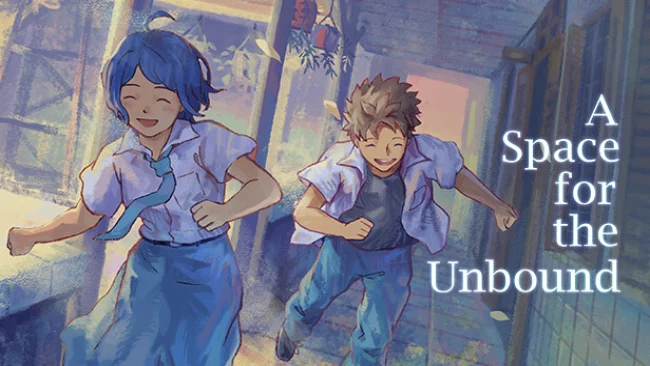
A quiet Indonesian town becomes the stage for an intimate apocalypse, where the final days of high school blur into impossible supernatural events. A Space for the Unbound follows Atma and Raya, two teenage sweethearts whose ordinary routines of school, snacks, and neighborhood wandering gradually give way to a crisis that threatens reality itself. Its late-1990s setting feels warmly lived-in rather than nostalgic for nostalgia’s sake, filled with small shops, rain-soaked streets, chatty locals, and the particular unease of growing up. The tone balances gentle slice-of-life humor with an emotionally serious story about anxiety, depression, grief, and the fear of being left behind.
Most of the adventure revolves around walking through town, talking to residents, inspecting the environment, and solving light contextual puzzles. Atma’s unusual red book allows him to enter troubled people’s inner worlds, turning personal fears and unresolved memories into surreal spaces that need to be understood rather than defeated through combat. Progress comes from following conversations, finding useful items, and paying attention to the emotional logic behind each character’s problems, with occasional minigames breaking up the dialogue-heavy pacing. There is no demanding action system or punishing difficulty curve; the emphasis stays firmly on curiosity, empathy, and the growing mystery surrounding Raya’s powers.
What makes the experience memorable is how confidently it connects cosmic stakes to everyday details: a lonely child, an overworked adult, a struggling business, or a couple unable to communicate. The detailed pixel art captures rural Indonesia with rare specificity, while Masdito “Ittou” Bachtiar’s melancholic score gives even simple walks through town a lingering mood. Its mind-diving premise may recall Inception, but its reflective pacing and intimate storytelling feel closer to To the Moon or Night in the Woods than a conventional fantasy adventure. Players looking for a heartfelt narrative, distinctive setting, and low-pressure exploration will find far more here than a standard pixel-art quest.
Screenshots
Installation
- Select the Download button at the top of this page to open UploadHaven.
- On UploadHaven, wait for any countdown, then select Free Download. Optional: UploadHaven Pro for faster downloads.
- When complete, extract the archive to a A Space for the Unbound folder using 7-Zip.
- Open the extracted folder and start the game normally.
- For errors, check Setup Guide & Troubleshooting below. Keep your security software enabled.
System Requirements
- OS: Windows 7
- Processor: Intel Core 2 Duo E6320 (2*1866) or equivalent
- Memory: 2 GB RAM
- Graphics: GeForce 7600 GS (512 MB) or equivalent
- Storage: 3 GB available space
Setup Guide & Troubleshooting
How do I fix missing DLL errors for A Space for the Unbound (v1.0.33)?
After extracting A Space for the Unbound (v1.0.33), navigate to the _Redist or _CommonRedist folder inside the game directory and install DirectX, Vcredist, and any other dependencies included.
What should I do if the downloaded file is corrupted?
The full archive is 2.17 GB — make sure your download completed fully before extracting. Use 7-Zip to extract the files. If you still see a "file corrupted" error, re-download and try again.
Do I need to run the game as administrator?
Usually, no. Start the game normally from the extracted folder. If you see a permissions or save error, check that the folder is writable and follow the game's documented fix. Only grant administrator access when a trusted game's specific setup requires it.
How do I update my GPU drivers for this game?
The game won't launch — what should I try?
Check that extraction completed and your PC meets the system requirements. Note any error message before choosing a fix. If it identifies a missing runtime, install the required DirectX components or Microsoft Visual C++ Redistributable from Microsoft.
My antivirus is blocking the game — is it safe?
A warning needs to be investigated; the download source alone cannot confirm that a file is safe. Keep your security software enabled and review the detection details. Do not run or restore a flagged file unless you have verified that it is a false positive. If you are unsure, leave it quarantined.