
Game Overview
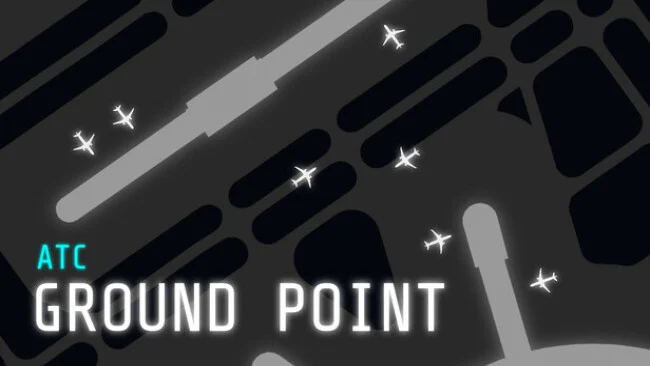
Airport management becomes a fast-moving puzzle when every taxiway, stand, runway crossing, and delayed departure competes for the same patch of concrete. ATC Ground Point puts players in the ground controller’s seat, where the job is less about dramatic midair emergencies and more about preventing the costly mistakes that happen before an aircraft ever leaves the airport. Its ten built-in locations, including Vancouver, Helsinki, London City, Seattle, Rome, Osaka, Seoul, Melbourne, and Shanghai, offer sharply different layouts and traffic pressures. The mood is methodical at first, but a quiet apron can turn into a demanding logistical knot as arrivals stack up and departure slots approach.
Players direct aircraft between gates, taxiways, holding points, and assigned runways through an approachable point-and-click interface. Each movement needs planning: aircraft must be handed to the tower controller near active runways, crossings need careful timing, and idle planes hurt arrival scores while late takeoffs damage departure performance. Traffic volume is adjustable before and during a session, making it possible to learn an airport at a manageable pace or push into a near-constant stream of requests. Text and voice commands provide a more authentic control-room alternative, while incidents such as aircraft returning to the gate, extended turnaround times, and pushback tugs add complications beyond simply drawing efficient routes.
What distinguishes ATC Ground Point from broader air traffic sims is its narrow focus on the often-overlooked ground game, giving taxi routing and stand management the attention usually reserved for radar screens and landing sequences. Endless operation sits alongside time-based and aircraft-movement scenarios, and an automatic traffic setting creates natural shifts between calm periods and intense rushes. Custom radar options, aircraft icons, pilot-message timing, a built-in airport editor, and community workshop maps give dedicated players plenty of ways to tailor the experience. Fans of Mini Metro-style route optimization, airport simulation, or realistic aviation procedure will find a focused, replayable challenge, while newcomers can rely on the simple controls and adjustable traffic to build confidence.
Screenshots
Installation
- Select the Download button at the top of this page to open UploadHaven.
- On UploadHaven, wait for any countdown, then select Free Download. Optional: UploadHaven Pro for faster downloads.
- When complete, extract the archive to a ATC Ground Point folder using 7-Zip.
- Open the extracted folder and start the game normally.
- For errors, check Setup Guide & Troubleshooting below. Keep your security software enabled.
System Requirements
- Requires a 64-bit processor and operating system
- OS: Windows 10 | Windows 11
- Processor: AMD Ryzen 5 | Intel i5
- Graphics: Built-in Graphics
- Storage: 800 MB available space
Setup Guide & Troubleshooting
How do I fix missing DLL errors for ATC Ground Point (v3.44)?
After extracting ATC Ground Point (v3.44), navigate to the _Redist or _CommonRedist folder inside the game directory and install DirectX, Vcredist, and any other dependencies included.
What should I do if the downloaded file is corrupted?
The full archive is 502.07 MB — make sure your download completed fully before extracting. Use 7-Zip to extract the files. If you still see a "file corrupted" error, re-download and try again.
Do I need to run the game as administrator?
Usually, no. Start the game normally from the extracted folder. If you see a permissions or save error, check that the folder is writable and follow the game's documented fix. Only grant administrator access when a trusted game's specific setup requires it.
How do I update my GPU drivers for this game?
The game won't launch — what should I try?
Check that extraction completed and your PC meets the system requirements. Note any error message before choosing a fix. If it identifies a missing runtime, install the required DirectX components or Microsoft Visual C++ Redistributable from Microsoft.
My antivirus is blocking the game — is it safe?
A warning needs to be investigated; the download source alone cannot confirm that a file is safe. Keep your security software enabled and review the detection details. Do not run or restore a flagged file unless you have verified that it is a false positive. If you are unsure, leave it quarantined.