
Game Overview
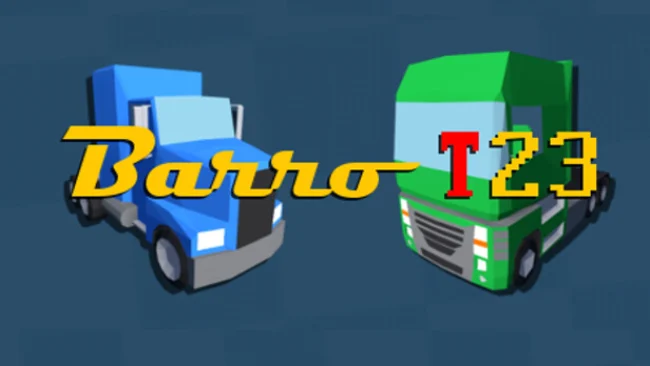
Tiny vehicles, tight circuits, and quick restarts define the appeal of Barro T23, an arcade racer built for immediate competition rather than meticulous simulation. Its toy-car and go-kart spirit keeps races readable and playful, while the refreshed track designs give each event a more distinct visual identity than a simple lap around a standard circuit. The mood is colorful, brisk, and competitive, with enough chaos to make a close finish entertaining without turning every race into a punishing test. It is a compact racing game for players who would rather spend their time driving than tuning suspension settings or learning a complicated career mode.
Races place up to ten cars on the grid, asking you to carry speed through corners, find clean overtaking lines, and avoid losing momentum when the pack bunches up. The handling favors accessible arcade control, so the important skills are track familiarity, quick reactions, and knowing when to challenge for position instead of forcing a risky pass. Fourteen tracks provide the main variety, while two truck types change the feel of the vehicle roster and add a heavier alternative to the smaller racers. Solo play centers on racing and improving your times, and the upgraded time-trial mode tracks leaderboard progress lap by lap, letting you measure your run against rival positions in real time.
Local split-screen for up to four players is the feature that gives Barro T23 its strongest personality, turning short races into an easy couch-competition pick. Rather than chasing the spectacle or depth of Mario Kart, it leans closer to a stripped-back slot-car race: fast to understand, quick to restart, and focused on shaving seconds from familiar layouts. The compact selection of content means it works best in short sessions or alongside friends, not as a huge single-player racing campaign. Arcade-racing newcomers can jump in without trouble, while time-trial regulars and local multiplayer veterans find the most replay value in mastering laps and defending a narrow lead.
Screenshots
Installation
- Select the Download button at the top of this page to open UploadHaven.
- On UploadHaven, wait for any countdown, then select Free Download. Optional: UploadHaven Pro for faster downloads.
- When complete, extract the archive to a Barro T23 folder using 7-Zip.
- Open the extracted folder and start the game normally.
- For errors, check Setup Guide & Troubleshooting below. Keep your security software enabled.
System Requirements
- OS: Windows 7 SP1+
- Processor: SSE2 instruction set support
- Memory: 2 GB RAM
- Graphics: Graphics card with DX10 (shader model 4.0) capabilities
- Storage: 2 GB available space
Setup Guide & Troubleshooting
How do I fix missing DLL errors for Barro T23 (v15.2)?
After extracting Barro T23 (v15.2), navigate to the _Redist or _CommonRedist folder inside the game directory and install DirectX, Vcredist, and any other dependencies included.
What should I do if the downloaded file is corrupted?
The full archive is 754.68 MB — make sure your download completed fully before extracting. Use 7-Zip to extract the files. If you still see a "file corrupted" error, re-download and try again.
Do I need to run the game as administrator?
Usually, no. Start the game normally from the extracted folder. If you see a permissions or save error, check that the folder is writable and follow the game's documented fix. Only grant administrator access when a trusted game's specific setup requires it.
How do I update my GPU drivers for this game?
The game won't launch — what should I try?
Check that extraction completed and your PC meets the system requirements. Note any error message before choosing a fix. If it identifies a missing runtime, install the required DirectX components or Microsoft Visual C++ Redistributable from Microsoft.
My antivirus is blocking the game — is it safe?
A warning needs to be investigated; the download source alone cannot confirm that a file is safe. Keep your security software enabled and review the detection details. Do not run or restore a flagged file unless you have verified that it is a false positive. If you are unsure, leave it quarantined.