
Game Overview
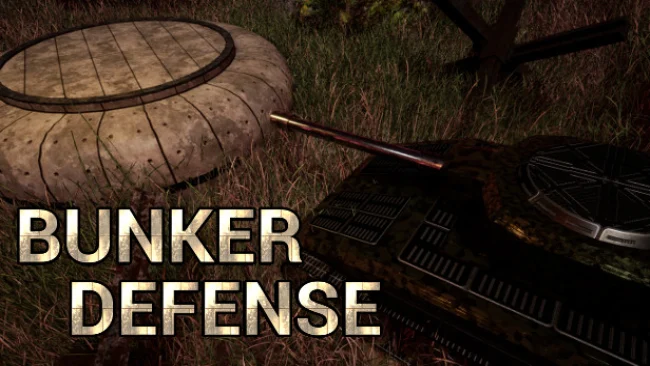
A fortified outpost becomes the last line between order and an escalating swarm of attackers in this brisk, top-down tower defense challenge. Bunker Defense keeps the genre’s familiar satisfaction of watching a carefully planned kill zone shred incoming waves, but adds commander-specific tools and cooperative planning to make each defense feel less static. The mood is tactical rather than grim: you are constantly weighing where to spend limited resources, when to strengthen a weak lane, and how long you can survive before the next boss reaches the bunker. Solo players can tackle the campaign alone, while groups of two to four can turn every map into a lively exercise in coordinated panic.
Matches revolve around building cannons and defensive structures along enemy routes, then adapting as tougher foes, unusual enemy traits, and heavy boss units test the gaps in your layout. Instead of demanding elaborate path manipulation, the game emphasizes readable maze construction and practical placement, letting players focus on firing coverage, choke points, upgrades, and commander abilities. Each commander brings a distinct set of defenses and active powers, so progression is not merely about buying stronger towers; it also involves shaping a build around items, loot, crafting, and unlockable special equipment. Multiple difficulty settings make room for relaxed experimentation, though higher challenges reward players who understand target priority, economy management, and ability timing.
The strongest idea is the way commanders complement one another in co-op, allowing a team to combine support effects, specialized weapons, and different defensive roles instead of simply placing more of the same tower. Hand-built stages mix with generated maps, helping runs retain some variety beyond a fixed sequence of wave patterns. Its modern, clean presentation and energetic soundtrack support the action without distracting from the battlefield’s essential information. Fans of games such as Defense Grid or Orcs Must Die! who want a more traditional overhead format, plus loot-driven customization and online teamwork, find plenty to enjoy; newcomers get accessible tools, while tower-defense veterans get room to optimize.
Screenshots
Installation
- Select the Download button at the top of this page to open UploadHaven.
- On UploadHaven, wait for any countdown, then select Free Download. Optional: UploadHaven Pro for faster downloads.
- When complete, extract the archive to a Bunker Defense folder using 7-Zip.
- Open the extracted folder and start the game normally.
- For errors, check Setup Guide & Troubleshooting below. Keep your security software enabled.
System Requirements
- Requires a 64-bit processor and operating system
- OS: Windows 7 or later
- Processor: Dual core 2 GHz
- Memory: 8 GB RAM
- Graphics: A proper GPU
- Storage: 6 GB available space
Setup Guide & Troubleshooting
How do I fix missing DLL errors for Bunker Defense (v1.0.2)?
After extracting Bunker Defense (v1.0.2), navigate to the _Redist or _CommonRedist folder inside the game directory and install DirectX, Vcredist, and any other dependencies included.
What should I do if the downloaded file is corrupted?
The full archive is 2.58 GB — make sure your download completed fully before extracting. Use 7-Zip to extract the files. If you still see a "file corrupted" error, re-download and try again.
Do I need to run the game as administrator?
Usually, no. Start the game normally from the extracted folder. If you see a permissions or save error, check that the folder is writable and follow the game's documented fix. Only grant administrator access when a trusted game's specific setup requires it.
How do I update my GPU drivers for this game?
The game won't launch — what should I try?
Check that extraction completed and your PC meets the system requirements. Note any error message before choosing a fix. If it identifies a missing runtime, install the required DirectX components or Microsoft Visual C++ Redistributable from Microsoft.
My antivirus is blocking the game — is it safe?
A warning needs to be investigated; the download source alone cannot confirm that a file is safe. Keep your security software enabled and review the detection details. Do not run or restore a flagged file unless you have verified that it is a false positive. If you are unsure, leave it quarantined.