
Game Overview
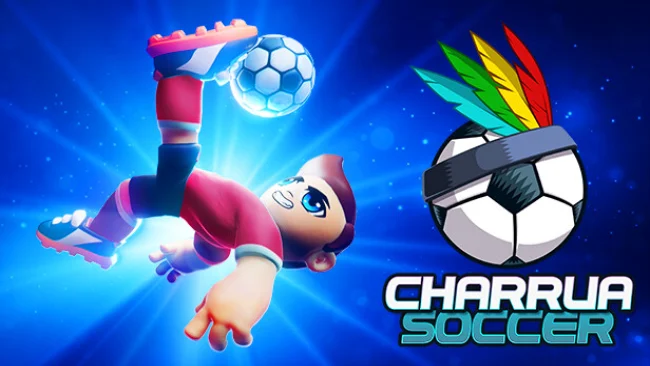
Fast matches, loose-ball scrambles, and spectacular finishing give Charrua Soccer – Pro Edition the energy of a classic couch sports game rather than a slow simulation. Its arcade-first take on football keeps the rules that create drama—fouls, cards, injuries, free kicks, and penalties—while making every match easy to pick up with friends. The mood is colorful, competitive, and often deliberately silly, especially when costumes and themed events turn a serious fixture into a chaotic party. Men’s, women’s, and mixed teams all have a place, giving the roster of competitions more variety than its playful presentation initially suggests.
Matches revolve around quick passing, movement into space, tackles, and timing shots before defenders close down the goal. Players can use short balls, long clearances, through passes, lifted attempts, and acrobatic finishes including bicycle kicks and diving headers, so scoring is not limited to simply mashing a shoot button near the box. Two control schemes let casual players lean on assistance while veterans reduce those aids and take greater responsibility for passes, shooting, and defensive positioning. Beyond exhibition matches and shootouts, Career Mode asks you to build a club and push it through leagues and cups, while local multiplayer and Remote Play Together support up to four participants in cooperative or competitive sessions.
A broad tournament list gives the game its strongest long-term pull, ranging from international cups and continental competitions to retro 1930-inspired events, American leagues, and party-focused brackets. Coins earned through play unlock balls, stadiums, flags, team customization, and outlandish cosmetics, including character costumes that suit its anything-goes side. Tactical options such as formations, substitutions, and strategy settings add welcome control without turning each match into management homework. Fans of Super Sidekicks-style immediacy or the approachable side of Sensible Soccer should find plenty to enjoy, and it works particularly well for households, local groups, and football newcomers who want competitive matches without simulation-level complexity.
Screenshots
Installation
- Select the Download button at the top of this page to open UploadHaven.
- On UploadHaven, wait for any countdown, then select Free Download. Optional: UploadHaven Pro for faster downloads.
- When complete, extract the archive to a Charrua Soccer - Pro Edition folder using 7-Zip.
- Open the extracted folder and start the game normally.
- For errors, check Setup Guide & Troubleshooting below. Keep your security software enabled.
System Requirements
- Requires a 64-bit processor and operating system
- OS *: Windows 7 (SP1+), Windows 10 and Windows 11, 64-bit versions only
- Processor: X64 architecture with SSE2 instruction set support
- Memory: 2048 MB RAM
- Graphics: DX11, and DX12-capable GPUs
- DirectX: Version 11
- Storage: 1 GB available space
- Additional Notes: At least 1 (one) controller is required for local multiplayer gaming in addition to the default keyboard support
Setup Guide & Troubleshooting
How do I fix missing DLL errors for Charrua Soccer – Pro Edition?
After extracting Charrua Soccer – Pro Edition, navigate to the _Redist or _CommonRedist folder inside the game directory and install DirectX, Vcredist, and any other dependencies included.
What should I do if the downloaded file is corrupted?
The full archive is 884.77 MB — make sure your download completed fully before extracting. Use 7-Zip to extract the files. If you still see a "file corrupted" error, re-download and try again.
Do I need to run the game as administrator?
Usually, no. Start the game normally from the extracted folder. If you see a permissions or save error, check that the folder is writable and follow the game's documented fix. Only grant administrator access when a trusted game's specific setup requires it.
How do I update my GPU drivers for this game?
The game won't launch — what should I try?
Check that extraction completed and your PC meets the system requirements, including Version 11. Note any error message before choosing a fix. If it identifies a missing runtime, install the required DirectX components or Microsoft Visual C++ Redistributable from Microsoft.
My antivirus is blocking the game — is it safe?
A warning needs to be investigated; the download source alone cannot confirm that a file is safe. Keep your security software enabled and review the detection details. Do not run or restore a flagged file unless you have verified that it is a false positive. If you are unsure, leave it quarantined.