
Game Overview
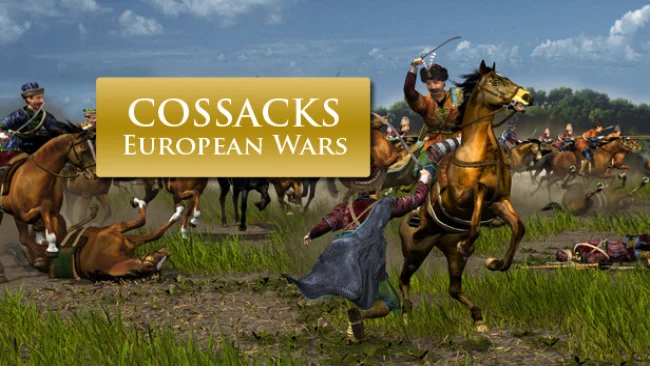
Gunpowder volleys, cavalry charges, and sprawling siege lines define a historical real-time strategy experience set across early modern Europe. Cossacks: European Wars turns the turbulent sixteenth through eighteenth centuries into enormous conflicts where young states compete for territory, trade, and survival. Its tone is more methodical than frantic, asking players to build a functioning economy before committing thousands of soldiers to battle. Rather than following a handful of heroes, you command entire nations and watch disciplined formations collide across wide maps.
Victory begins with gathering vital resources, constructing farms, mines, workshops, ports, and military buildings, then converting that growing infrastructure into an army. Food, wood, stone, gold, coal, and iron all matter, so a careless economy can leave even a powerful army unable to replace losses or produce ammunition. Battles reward positioning and combined arms: pikemen hold cavalry, musketeers deliver steady fire, artillery breaks defenses, and ships control coastal routes. Players can command remarkably large forces, arrange troops into formations, research upgrades through multiple technological eras, and fight computer opponents or human rivals in skirmishes and multiplayer matches.
Sixteen distinct factions give the strategy real flavor instead of merely changing unit colors. England thrives at sea, Austria fields formidable mounted troops, and other powers lean toward different infantry, naval, economic, or technological strengths, encouraging players to rethink their preferred tactics. The old-school interface and deliberate pace show their age, but the scale remains impressive when dense regiments maneuver around fortress walls under cannon fire. Fans of Age of Empires, Empire Earth, or classic Total War’s battlefield spectacle will find plenty to enjoy, especially if they prefer economy-heavy RTS games where preparation matters as much as reflexes. Newcomers need patience with its dated conventions, while strategy veterans can appreciate the nation variety, massive armies, and satisfying sense of commanding a genuine period war.
Screenshots
Installation
- Select the Download button at the top of this page to open UploadHaven.
- On UploadHaven, wait for any countdown, then select Free Download. Optional: UploadHaven Pro for faster downloads.
- When complete, extract the archive to a Cossacks: European Wars folder using 7-Zip.
- Open the extracted folder and start the game normally.
- For errors, check Setup Guide & Troubleshooting below. Keep your security software enabled.
System Requirements
- Operating system:Windows® XP / Vista™ / Windows® 7
- Processor: 1.4 GHz CPU
- Memory: 512 MB
- Hard disk space: 350MB
- Video:Video Card with 64MB dedicated memory and DirectX 9 Compatible
- Sound:Sound card with DirectX 9.0 support
- DirectX®:9.0 or higher
Setup Guide & Troubleshooting
How do I fix missing DLL errors for Cossacks: European Wars (v1.15)?
After extracting Cossacks: European Wars (v1.15), navigate to the _Redist or _CommonRedist folder inside the game directory and install DirectX, Vcredist, and any other dependencies included.
What should I do if the downloaded file is corrupted?
The full archive is 253.19 MB — make sure your download completed fully before extracting. Use 7-Zip to extract the files. If you still see a "file corrupted" error, re-download and try again.
Do I need to run the game as administrator?
Usually, no. Start the game normally from the extracted folder. If you see a permissions or save error, check that the folder is writable and follow the game's documented fix. Only grant administrator access when a trusted game's specific setup requires it.
How do I update my GPU drivers for this game?
The game won't launch — what should I try?
Check that extraction completed and your PC meets the system requirements. Note any error message before choosing a fix. If it identifies a missing runtime, install the required DirectX components or Microsoft Visual C++ Redistributable from Microsoft.
My antivirus is blocking the game — is it safe?
A warning needs to be investigated; the download source alone cannot confirm that a file is safe. Keep your security software enabled and review the detection details. Do not run or restore a flagged file unless you have verified that it is a false positive. If you are unsure, leave it quarantined.