
Game Overview
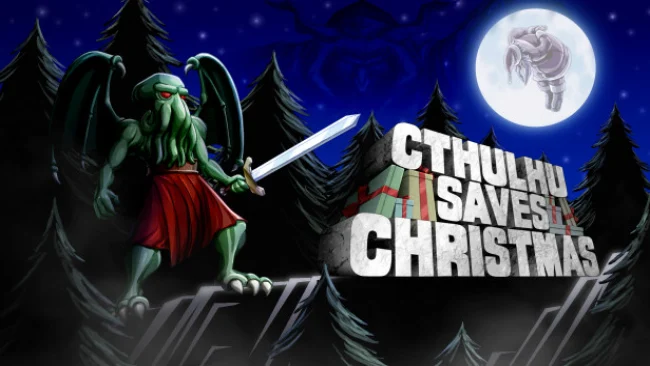
Cthulhu trades cosmic horror for a cheerfully ridiculous holiday rescue in this compact retro-style RPG. Stripped of his godlike abilities, the Great Old One must save Santa from a cabal of festive villains before he can reclaim his strength, putting tentacles, eldritch madness, and Christmas cheer in the same absurd sentence. The result is a lighthearted prequel with sharp jokes, pixel-art charm, and a pace that understands an RPG does not need to last eighty hours to be satisfying. Its tone resembles a Saturday-morning cartoon filtered through Lovecraft references and old-school console role-playing games.
Battles use brisk turn-based party combat built around status effects, elemental weaknesses, and team abilities. Cthulhu can drive foes insane, while allies such as Snow Maiden, Baba Yaga-chan, and Belsnickel bring distinct attacks and support options; combining their skills at the right moment makes boss encounters far more interesting than simple attack-spamming. Adventuring moves between towns, dungeons, dialogue scenes, and deliberately offbeat enemy encounters, including holiday folklore monsters such as Krampus and Mari Lwyd. Between missions, streamlined social segments let the party spend time together or interact with rivals, improving “R’lyehtionships” that unlock scenes, bonuses, and more personality-driven comedy without turning the game into a demanding calendar-management sim.
What separates Cthulhu Saves Christmas from many retro RPG throwbacks is its lack of filler. Dungeons are concise, battles move quickly, and the script keeps finding new angles for its deliberately silly premise, whether it is mock-serious cosmic mythology or an unexpected surplus of chickens. Its clean 16-bit-inspired presentation and upbeat soundtrack reinforce the seasonal mood without requiring players to know the earlier Cthulhu Saves the World. Fans of Zeboyd Games, Super Nintendo-era JRPGs, and comedy adventures like Costume Quest find plenty to enjoy, while newcomers get an approachable, self-contained RPG that values jokes, momentum, and inventive combat over grinding.
Screenshots
Installation
- Select the Download button at the top of this page to open UploadHaven.
- On UploadHaven, wait for any countdown, then select Free Download. Optional: UploadHaven Pro for faster downloads.
- When complete, extract the archive to a Cthulhu Saves Christmas folder using 7-Zip.
- Open the extracted folder and start the game normally.
- For errors, check Setup Guide & Troubleshooting below. Keep your security software enabled.
System Requirements
- OS: Windows 7 32-bit
- Processor: Intel Atom X7-Z8750
- Memory: 2 GB RAM
- Graphics: Intel HD 405 Graphics 600 MHz
- Storage: 2 GB available space
- Additional Notes: Best viewed in 1080p
Setup Guide & Troubleshooting
How do I fix missing DLL errors for Cthulhu Saves Christmas?
After extracting Cthulhu Saves Christmas, navigate to the _Redist or _CommonRedist folder inside the game directory and install DirectX, Vcredist, and any other dependencies included.
What should I do if the downloaded file is corrupted?
The full archive is 305.88 MB — make sure your download completed fully before extracting. Use 7-Zip to extract the files. If you still see a "file corrupted" error, re-download and try again.
Do I need to run the game as administrator?
Usually, no. Start the game normally from the extracted folder. If you see a permissions or save error, check that the folder is writable and follow the game's documented fix. Only grant administrator access when a trusted game's specific setup requires it.
How do I update my GPU drivers for this game?
The game won't launch — what should I try?
Check that extraction completed and your PC meets the system requirements. Note any error message before choosing a fix. If it identifies a missing runtime, install the required DirectX components or Microsoft Visual C++ Redistributable from Microsoft.
My antivirus is blocking the game — is it safe?
A warning needs to be investigated; the download source alone cannot confirm that a file is safe. Keep your security software enabled and review the detection details. Do not run or restore a flagged file unless you have verified that it is a false positive. If you are unsure, leave it quarantined.