
Game Overview
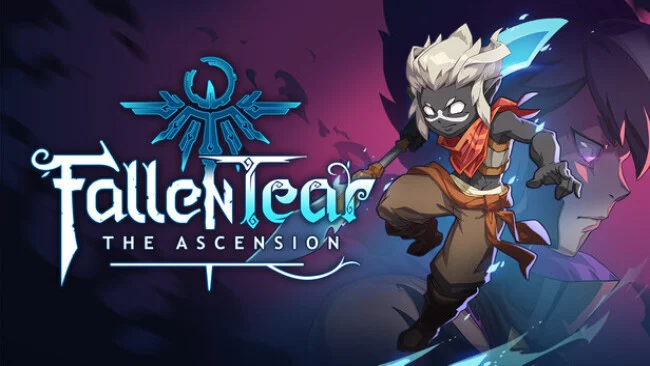
Ancient gods, lost civilizations, and a child carrying an uncertain destiny drive this hand-drawn action adventure. Fallen Tear: The Ascension frames its Metroidvania exploration around Hira, whose journey moves through dense forests, ruined cities, and other interconnected regions hiding routes, secrets, and dangerous opponents. Its mood balances colorful fantasy wonder with a weightier story about fate, loss, and the people Hira chooses to trust. Rather than treating its world as a string of isolated stages, it encourages players to steadily learn its layout and return to previously blocked paths with new options.
Combat revolves around close-range aggression tempered by careful defense: Hira slashes, evades, and parries while enemies pressure from several directions. Weapons and skills allow players to shape a preferred loadout, while boss encounters demand attention to patterns, weaknesses, timing, and positioning instead of simple button mashing. Death carries a roguelike-like sting, but it also teaches attack rhythms and pushes players to refine their approach for the next attempt. Progression extends beyond Hira alone through the Fated Bonds system, which lets players recruit more than sixteen voiced companions with their own combat tools, personal stories, and side activities.
The party-focused structure is the clearest twist on the familiar exploration formula, adding some of the relationship-building flavor of classic JRPGs to a fast, reactive platforming framework. Hira’s Temple of Oras serves as more than a menu hub, gradually becoming a customizable home filled with allies, upgrades, and minigames that reflect the journey’s growing community. With multiple major and optional bosses across a sizeable collection of regions, it offers room for thorough explorers as well as players who mainly want to follow the central narrative. Fans of Ori-style visual elegance, Hollow Knight’s demanding boss learning, and old-school JRPG companion systems should find plenty to like, though its precise parries and repeated failures make it best suited to players willing to practice.
Screenshots
Installation
- Select the Download button at the top of this page to open UploadHaven.
- On UploadHaven, wait for any countdown, then select Free Download. Optional: UploadHaven Pro for faster downloads.
- When complete, extract the archive to a Fallen Tear: The Ascension folder using 7-Zip.
- Open the extracted folder and start the game normally.
- For errors, check Setup Guide & Troubleshooting below. Keep your security software enabled.
System Requirements
- OS: Windows 10
- Processor: i3-3220 or FX-4350
- Memory: 8 GB RAM
- Graphics: Nvidia Geforce GTX 560 or AMD Radeon HD 6870
- DirectX: Version 11
- Storage: 15 GB available space
Setup Guide & Troubleshooting
How do I fix missing DLL errors for Fallen Tear: The Ascension (v1.0.1)?
After extracting Fallen Tear: The Ascension (v1.0.1), navigate to the _Redist or _CommonRedist folder inside the game directory and install DirectX, Vcredist, and any other dependencies included.
What should I do if the downloaded file is corrupted?
The full archive is 8.62 GB — make sure your download completed fully before extracting. Use 7-Zip to extract the files. If you still see a "file corrupted" error, re-download and try again.
Do I need to run the game as administrator?
Usually, no. Start the game normally from the extracted folder. If you see a permissions or save error, check that the folder is writable and follow the game's documented fix. Only grant administrator access when a trusted game's specific setup requires it.
How do I update my GPU drivers for this game?
The game won't launch — what should I try?
Check that extraction completed and your PC meets the system requirements, including Version 11. Note any error message before choosing a fix. If it identifies a missing runtime, install the required DirectX components or Microsoft Visual C++ Redistributable from Microsoft.
My antivirus is blocking the game — is it safe?
A warning needs to be investigated; the download source alone cannot confirm that a file is safe. Keep your security software enabled and review the detection details. Do not run or restore a flagged file unless you have verified that it is a false positive. If you are unsure, leave it quarantined.