
Game Overview
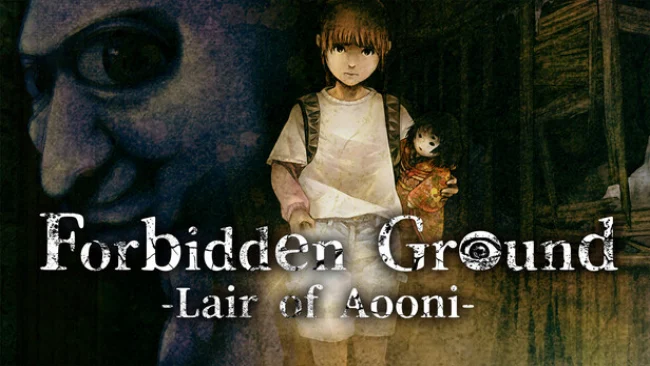
A dam-revealed elementary school becomes a claustrophobic prison in this Japanese horror adventure, where crumbling Showa-era classrooms hide both family secrets and inhuman predators. Himari awakens injured and unable to move freely, then finds an unlikely ally in Komari, a talking traditional doll possessed by a vengeful spirit. Together, they search the abandoned building for missing relatives and classmates while the unmistakable threat of the Blue Demon turns every dark corridor into a potential trap. The mood leans heavily into eerie folklore, abandoned-school melancholy, and sudden panic rather than constant action.
Play centers on investigating rooms, collecting documents and memories, and piecing together why the school and its former community meet such a grim fate. Himari and Komari’s partnership drives the adventure, with the doll’s supernatural presence helping offset Himari’s vulnerability as the pair navigate blocked routes, environmental obstacles, and dangerous encounters. Blue Demon pursuits demand quick reactions and careful use of the school’s layout, shifting the pace from deliberate exploration to desperate escape. Progress comes from rescuing survivors, uncovering backstory, and opening access to deeper sections of the building rather than from combat or character-stat grinding.
Its strongest hook is the collision of a familiar Japanese internet-horror icon with a more story-focused haunted-school mystery. The dried reservoir setting gives the location extra weight: this is not merely an empty campus, but a place literally returned from beneath the water with old tragedies still buried inside. Period details, unsettling records, and Komari’s uneasy role as companion create an atmosphere closer to a supernatural visual horror adventure than a pure chase game. Fans of Ao Oni, Corpse Party, and restrained puzzle-driven horror should find plenty to like, while newcomers can enjoy it as a compact, narrative-led scare experience.
Screenshots
Installation
- Select the Download button at the top of this page to open UploadHaven.
- On UploadHaven, wait for any countdown, then select Free Download. Optional: UploadHaven Pro for faster downloads.
- When complete, extract the archive to a Forbidden Ground - Lair of Aooni - folder using 7-Zip.
- Open the extracted folder and start the game normally.
- For errors, check Setup Guide & Troubleshooting below. Keep your security software enabled.
System Requirements
- Requires a 64-bit processor and operating system
- OS: 64-bit Windows 11
- Processor: Intel Core i5-8500
- Memory: 8 GB RAM
- Graphics: NVIDIA GeForce GTX 1050 Ti
- DirectX: Version 12
- Storage: 1 GB available space
Setup Guide & Troubleshooting
How do I fix missing DLL errors for Forbidden Ground – Lair of Aooni?
After extracting Forbidden Ground – Lair of Aooni, navigate to the _Redist or _CommonRedist folder inside the game directory and install DirectX, Vcredist, and any other dependencies included.
What should I do if the downloaded file is corrupted?
The full archive is 303.44 MB — make sure your download completed fully before extracting. Use 7-Zip to extract the files. If you still see a "file corrupted" error, re-download and try again.
Do I need to run the game as administrator?
Usually, no. Start the game normally from the extracted folder. If you see a permissions or save error, check that the folder is writable and follow the game's documented fix. Only grant administrator access when a trusted game's specific setup requires it.
How do I update my GPU drivers for this game?
The game won't launch — what should I try?
Check that extraction completed and your PC meets the system requirements, including Version 12. Note any error message before choosing a fix. If it identifies a missing runtime, install the required DirectX components or Microsoft Visual C++ Redistributable from Microsoft.
My antivirus is blocking the game — is it safe?
A warning needs to be investigated; the download source alone cannot confirm that a file is safe. Keep your security software enabled and review the detection details. Do not run or restore a flagged file unless you have verified that it is a false positive. If you are unsure, leave it quarantined.