
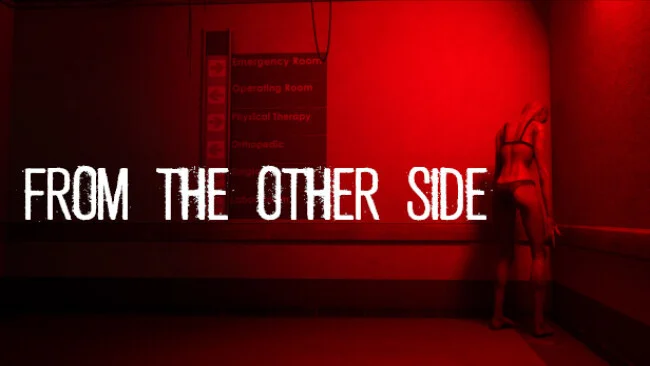
Game Overview
A lonely overnight hospital shift becomes a compact psychological horror ordeal built around vigilance, dread, and the feeling that reality is slipping out of place. From The Other Side casts you as Steve, a newly hired security guard whose routine camera monitoring quickly reveals disturbances that no ordinary employee can explain. The abandoned corridors, clinical lighting, and hidden corners create a suffocating atmosphere, while Steve’s search for answers becomes tied to the painful mystery of his daughter. It is less about fighting monsters than enduring the knowledge that something may be watching from every darkened room.
The central loop alternates between watching surveillance feeds and physically responding when an anomaly appears. A misplaced object, an unsettling figure, or a change in the environment demands immediate attention, sending you away from the safety of the control room to locate and resolve the problem firsthand. That hands-on structure separates it from camera-based anomaly games where identifying the oddity is the entire challenge; here, recognizing danger is only the beginning. Exploration gradually uncovers story fragments and memories, with scares designed to mislead players, test their awareness, and keep them questioning what they have actually seen.
Photorealistic presentation and close, claustrophobic level design give the hospital a grounded quality that makes its supernatural intrusions more effective. The experience lasts roughly one to one-and-a-half hours, so it works best as a focused evening horror session rather than a sprawling campaign with deep progression or replay systems. Fans of P.T.-style corridor horror, observation games such as The Exit 8, and slow-burn walking simulators should appreciate its mix of environmental scrutiny and narrative unease. Newcomers can handle its accessible mechanics, while seasoned horror players are likely to get the most from playing patiently, checking every screen, and letting the tension build.
Screenshots
Installation
- Select the Download button at the top of this page to open UploadHaven.
- On UploadHaven, wait for any countdown, then select Free Download. Optional: UploadHaven Pro for faster downloads.
- When complete, extract the archive to a From The Other Side folder using 7-Zip.
- Open the extracted folder and start the game normally.
- For errors, check Setup Guide & Troubleshooting below. Keep your security software enabled.
System Requirements
- OS: Windows 10 64-bit
- Processor: Intel Core i5-4590 / AMD Ryzen 5 2600
- Memory: 8 GB RAM
- Graphics: NVIDIA GTX 1070 / Radeon RX Vega 56
- DirectX: Version 11
- Storage: 10 GB available space
Setup Guide & Troubleshooting
How do I fix missing DLL errors for From The Other Side?
After extracting From The Other Side, navigate to the _Redist or _CommonRedist folder inside the game directory and install DirectX, Vcredist, and any other dependencies included.
What should I do if the downloaded file is corrupted?
The full archive is 7.51 GB — make sure your download completed fully before extracting. Use 7-Zip to extract the files. If you still see a "file corrupted" error, re-download and try again.
Do I need to run the game as administrator?
Usually, no. Start the game normally from the extracted folder. If you see a permissions or save error, check that the folder is writable and follow the game's documented fix. Only grant administrator access when a trusted game's specific setup requires it.
How do I update my GPU drivers for this game?
The game won't launch — what should I try?
Check that extraction completed and your PC meets the system requirements, including Version 11. Note any error message before choosing a fix. If it identifies a missing runtime, install the required DirectX components or Microsoft Visual C++ Redistributable from Microsoft.
My antivirus is blocking the game — is it safe?
A warning needs to be investigated; the download source alone cannot confirm that a file is safe. Keep your security software enabled and review the detection details. Do not run or restore a flagged file unless you have verified that it is a false positive. If you are unsure, leave it quarantined.