
Game Overview
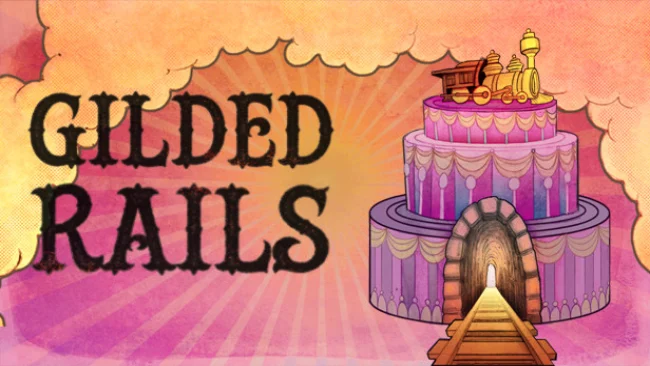
A looming inheritance turns every business decision into a romantic deadline in this witty, text-driven RPG about railroads, ambition, and marriage. You play the heir to a family rail line during an era of runaway industrial growth, where gaining control of the company depends as much on finding a spouse as it does on outmaneuvering rival tycoons. The tone mixes sharp social satire with personal drama: boardroom betrayals, worker unrest, family pressure, and courtship all compete for your attention. Rather than building tracks tile by tile, Gilded Rails delivers the fantasy of a railroad baron through the consequences of your decisions.
Each choice shapes both your professional reputation and your private life across a huge branching novel. You decide whether your company honors its obligations, crushes competitors through dirty tactics, protects employees, exposes corruption, or embraces the ruthless logic of monopoly. Conversations and major narrative decisions determine who trusts you, who fears you, and which potential partners might become the key to securing your future. The central loop is a balancing act between expanding influence, managing the expectations of family and workers, and pursuing romance before your claim to the business slips away.
Gilded Rails stands out by treating dating as a high-stakes corporate strategy without reducing its characters to simple rewards. Its entirely prose-based presentation leaves the setting, personalities, and scandals to the player’s imagination, while the enormous word count supports plenty of divergent outcomes and replay value. Fans of Choice of Games-style interactive fiction, historical business dramas, and narrative RPGs such as 80 Days or Fallen London should find a lot to enjoy in its mix of class conflict and romantic maneuvering. It suits newcomers to text adventures because the appeal lies in readable, consequential storytelling, though veterans will get the most from revisiting key choices and testing different kinds of railroad leadership.
Screenshots
Installation
- Select the Download button at the top of this page to open UploadHaven.
- On UploadHaven, wait for any countdown, then select Free Download. Optional: UploadHaven Pro for faster downloads.
- When complete, extract the archive to a Gilded Rails folder using 7-Zip.
- Open the extracted folder and start the game normally.
- For errors, check Setup Guide & Troubleshooting below. Keep your security software enabled.
Setup Guide & Troubleshooting
How do I fix missing DLL errors for Gilded Rails?
After extracting Gilded Rails, navigate to the _Redist or _CommonRedist folder inside the game directory and install DirectX, Vcredist, and any other dependencies included.
What should I do if the downloaded file is corrupted?
The full archive is 94.48 MB — make sure your download completed fully before extracting. Use 7-Zip to extract the files. If you still see a "file corrupted" error, re-download and try again.
Do I need to run the game as administrator?
Usually, no. Start the game normally from the extracted folder. If you see a permissions or save error, check that the folder is writable and follow the game's documented fix. Only grant administrator access when a trusted game's specific setup requires it.
How do I update my GPU drivers for this game?
The game won't launch — what should I try?
Check that extraction completed and your PC meets the system requirements. Note any error message before choosing a fix. If it identifies a missing runtime, install the required DirectX components or Microsoft Visual C++ Redistributable from Microsoft.
My antivirus is blocking the game — is it safe?
A warning needs to be investigated; the download source alone cannot confirm that a file is safe. Keep your security software enabled and review the detection details. Do not run or restore a flagged file unless you have verified that it is a false positive. If you are unsure, leave it quarantined.