
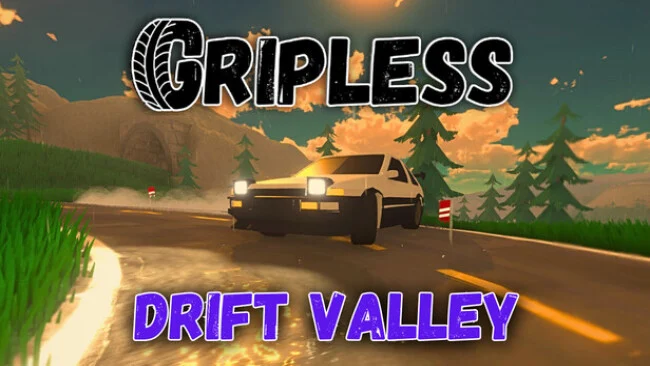
Game Overview
Drifting takes center stage in this focused indie racer, where speed matters less than balance, angle, and the confidence to hold a slide through a long corner. Gripless: Drift Valley trades crowded circuits and aggressive wheel-to-wheel racing for a more personal test of car control across mountain roads and purpose-built routes. Its mood lands somewhere between arcade accessibility and simulator-minded tuning, with weather, tyres, and nitro all changing how a car behaves. The result is a relaxed but demanding driving experience that rewards practice rather than luck.
Runs revolve around linking clean drifts, learning each map’s bends, and shaving time from your best attempts. Eight vehicles provide different foundations to work from, while upgrades and visual parts such as body kits, rims, exhausts, spoilers, paint, and custom plates let players shape both performance and appearance. Career challenges provide structure and rewards through coins and experience, while Time Trial and Ghost Mode encourage constant improvement by putting your previous best driving directly in front of you. Free Roam removes timers altogether, offering an endless road for testing setups, cruising through changing conditions, or simply practicing throttle and countersteer without pressure.
Dynamic weather gives the six locations more variety than their number initially suggests, since a familiar route can demand a different approach in altered grip conditions. Full control remapping and support for keyboard, controller, and steering wheels make it easier to play with the setup you already own, while broad graphics scaling helps the game run across modest PCs and higher-end 4K systems. Global leaderboards and achievements add long-term goals for drivers chasing mastery, though the core appeal remains beating your own lines and lap times. Fans of drift-centric racers such as CarX Drift Racing Online who prefer solo progression and scenic open-road practice should feel at home, while newcomers benefit from the low-pressure Free Roam option before tackling stricter challenges.
Screenshots
Installation
- Select the Download button at the top of this page to open UploadHaven.
- On UploadHaven, wait for any countdown, then select Free Download. Optional: UploadHaven Pro for faster downloads.
- When complete, extract the archive to a Gripless: Drift Valley folder using 7-Zip.
- Open the extracted folder and start the game normally.
- For errors, check Setup Guide & Troubleshooting below. Keep your security software enabled.
System Requirements
- OS: Windows 10
- Memory: 8 GB RAM
- Graphics: Integrated or entry‑level dedicated GPU
- Storage: 2 GB available space
- Sound Card: Standard audio device
- Additional Notes: Try the graphics settings in the demo
Setup Guide & Troubleshooting
How do I fix missing DLL errors for Gripless: Drift Valley (v2026.04.03)?
After extracting Gripless: Drift Valley (v2026.04.03), navigate to the _Redist or _CommonRedist folder inside the game directory and install DirectX, Vcredist, and any other dependencies included.
What should I do if the downloaded file is corrupted?
The full archive is 323.29 MB — make sure your download completed fully before extracting. Use 7-Zip to extract the files. If you still see a "file corrupted" error, re-download and try again.
Do I need to run the game as administrator?
Usually, no. Start the game normally from the extracted folder. If you see a permissions or save error, check that the folder is writable and follow the game's documented fix. Only grant administrator access when a trusted game's specific setup requires it.
How do I update my GPU drivers for this game?
The game won't launch — what should I try?
Check that extraction completed and your PC meets the system requirements. Note any error message before choosing a fix. If it identifies a missing runtime, install the required DirectX components or Microsoft Visual C++ Redistributable from Microsoft.
My antivirus is blocking the game — is it safe?
A warning needs to be investigated; the download source alone cannot confirm that a file is safe. Keep your security software enabled and review the detection details. Do not run or restore a flagged file unless you have verified that it is a false positive. If you are unsure, leave it quarantined.