
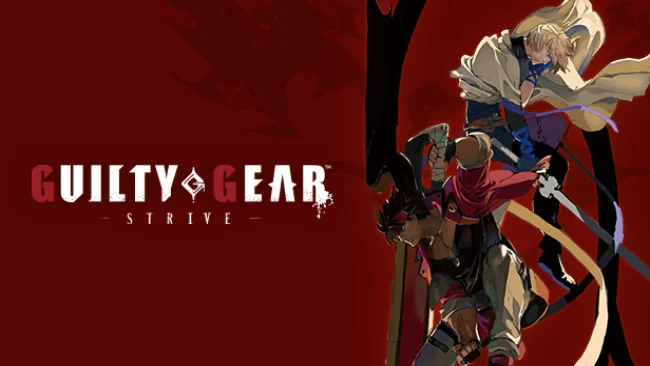
GUILTY GEAR -STRIVE- (v2.03 & ALL DLC)
Game Overview
Heavy-metal energy, outrageous character design, and some of the sharpest animation in modern fighting games define this explosive one-on-one brawler. Set in a surreal future shaped by magic, science, and decades of war, it follows Sol Badguy, Ky Kiske, and a wildly varied cast through the latest major chapter of the series’ long-running conflict. Every match feels theatrical: guitars roar, fighters trade screen-filling attacks, and the hand-drawn-looking 3D visuals snap between dramatic close-ups and brutal impacts. Its tone is unapologetically stylish and intense, but the streamlined foundations make the chaos far less intimidating than older entries.
Matches revolve around reading an opponent’s habits, controlling space with normals and projectiles, then converting a clean hit into damaging combos near the corner. The signature Tension gauge powers special techniques and Roman Cancels, which slow the action and let skilled players extend combos, escape pressure, or create new mix-ups on the fly. Burst offers a vital defensive reset, while the wall-break system prevents endless corner oppression by smashing opponents into a new section of the stage and rewarding the attacker with positive bonus meter gain. Story, Arcade, Training, Mission, and online modes give solo players plenty to study, while rollback netcode and cross-platform play make competitive matches considerably more reliable than in many anime fighters.
What separates GUILTY GEAR -STRIVE- from rivals such as Street Fighter or Tekken is its willingness to make every character feel radically different without burying the player under excessive inputs. A sword-wielding knight, a giant-anchor-swinging pirate, a time-manipulating assassin, and a living bed are only a few examples of its wonderfully strange roster, which expands beyond the original lineup through additional seasons of characters. The soundtrack is exceptional even by fighting-game standards, with vocal rock tracks that make rematches feel like championship bouts. Newcomers seeking an accessible route into serious fighters should start here, while veterans who enjoy expressive offense, deep matchup knowledge, and spectacular anime presentation will find a game worth mastering.
Screenshots
Installation
- Select the Download button at the top of this page to open UploadHaven.
- On UploadHaven, wait for any countdown, then select Free Download. Optional: UploadHaven Pro for faster downloads.
- When complete, extract the archive to a GUILTY GEAR -STRIVE- folder using 7-Zip.
- Open the extracted folder and start the game normally.
- For errors, check Setup Guide & Troubleshooting below. Keep your security software enabled.
System Requirements
- OS: Windows 8/10 (64-bit OS required)
- Processor: AMD FX-4350, 4.2 GHz / Intel Core i5-3450, 3.10 GHz
- Memory: 4 GB RAM
- Graphics: Radeon HD 6870, 1 GB / GeForce GTX 650 Ti, 1 GB
- DirectX: Version 11
- Network: Broadband Internet connection
- Storage: 20 GB available space
- Sound Card: DirectX compatible soundcard or onboard chipset
Setup Guide & Troubleshooting
How do I fix missing DLL errors for GUILTY GEAR -STRIVE- (v2.03 & ALL DLC)?
After extracting GUILTY GEAR -STRIVE- (v2.03 & ALL DLC), navigate to the _Redist or _CommonRedist folder inside the game directory and install DirectX, Vcredist, and any other dependencies included.
What should I do if the downloaded file is corrupted?
The full archive is 31.26 GB — make sure your download completed fully before extracting. Use 7-Zip to extract the files. If you still see a "file corrupted" error, re-download and try again.
Do I need to run the game as administrator?
Usually, no. Start the game normally from the extracted folder. If you see a permissions or save error, check that the folder is writable and follow the game's documented fix. Only grant administrator access when a trusted game's specific setup requires it.
How do I update my GPU drivers for this game?
The game won't launch — what should I try?
Check that extraction completed and your PC meets the system requirements, including Version 11. Note any error message before choosing a fix. If it identifies a missing runtime, install the required DirectX components or Microsoft Visual C++ Redistributable from Microsoft.
My antivirus is blocking the game — is it safe?
A warning needs to be investigated; the download source alone cannot confirm that a file is safe. Keep your security software enabled and review the detection details. Do not run or restore a flagged file unless you have verified that it is a false positive. If you are unsure, leave it quarantined.