
GUILTY GEAR Xrd -SIGN- (v1.04 & ALL DLC)
Game Overview
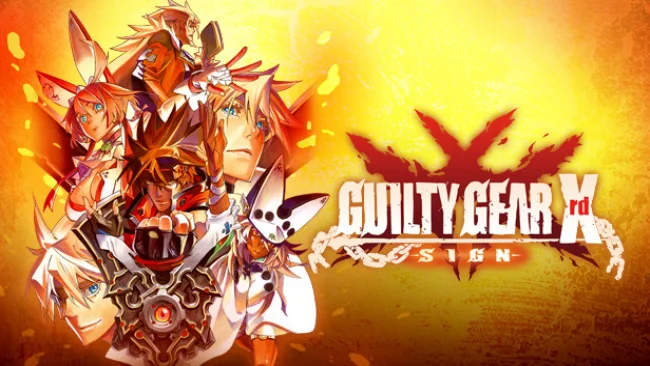
Anime fighting games rarely look as convincingly hand-drawn as this, even though every fighter and arena is rendered in 3D. GUILTY GEAR Xrd -SIGN- turns Arc System Works’ loud, metal-infused series into a sharply animated one-on-one brawler where impossible hairstyles, oversized weapons, and supernatural powers collide at breakneck speed. Its story continues the long-running conflict surrounding Sol Badguy, Ky Kiske, and the Gears, but the mood happily swings between apocalyptic drama and absurd comedy. Beneath the spectacular visual flair sits a demanding, expressive fighter built around reading opponents and turning one clean opening into momentum.
Matches revolve around fast movement, varied normal attacks, special moves, air dashes, throws, and carefully timed defensive options. Every character plays by distinct rules: Sol pressures at close range, Ky controls space with lightning, Zato-1 commands a shadow familiar, while newcomers such as Ramlethal and Bedman bring stranger tools to the roster. Tension fuels Roman Cancels, letting players spend meter to interrupt recovery, extend combos, escape danger, or slow the action long enough to create a new mix-up; mastering when to use them separates competent players from terrifying ones. Arcade, training, mission challenges, and an unusually approachable tutorial provide useful practice routes, while online ranked and player matches support competitive play and spectating.
What stands out is how animation and gameplay communicate so clearly: attacks have enormous personality, stages feel alive, and even complex exchanges remain readable once the fundamentals click. The Story mode largely plays as a lavish animated serial rather than a traditional sequence of fights, making it best suited to players invested in Guilty Gear’s dense lore, while M.O.M. mode offers a playful alternate challenge with customizable move sets. Its 17-character launch lineup is smaller than later series entries, yet nearly every combatant demands a different mindset, giving the roster serious replay value. Fans of BlazBlue, Street Fighter IV-era meter management, or stylish technical fighters should feel at home, though newcomers should expect a steep learning curve and use the excellent teaching modes before chasing online victories.
Screenshots
Installation
- Select the Download button at the top of this page to open UploadHaven.
- On UploadHaven, wait for any countdown, then select Free Download. Optional: UploadHaven Pro for faster downloads.
- When complete, extract the archive to a GUILTY GEAR Xrd -SIGN- folder using 7-Zip.
- Open the extracted folder and start the game normally.
- For errors, check Setup Guide & Troubleshooting below. Keep your security software enabled.
System Requirements
- OS *: Windows 7 / 8 / 8.1
- Processor: Intel Core i5, 2.0 GHz
- Memory: 2 GB RAM
- Graphics: Nvidia GeForce GTX 560 / Radeon HD 7770
- DirectX: Version 9.0c
- Network: Broadband Internet connection
- Storage: 12 GB available space
Setup Guide & Troubleshooting
How do I fix missing DLL errors for GUILTY GEAR Xrd -SIGN- (v1.04 & ALL DLC)?
After extracting GUILTY GEAR Xrd -SIGN- (v1.04 & ALL DLC), navigate to the _Redist or _CommonRedist folder inside the game directory and install DirectX, Vcredist, and any other dependencies included.
What should I do if the downloaded file is corrupted?
The full archive is 10.01 GB — make sure your download completed fully before extracting. Use 7-Zip to extract the files. If you still see a "file corrupted" error, re-download and try again.
Do I need to run the game as administrator?
Usually, no. Start the game normally from the extracted folder. If you see a permissions or save error, check that the folder is writable and follow the game's documented fix. Only grant administrator access when a trusted game's specific setup requires it.
How do I update my GPU drivers for this game?
The game won't launch — what should I try?
Check that extraction completed and your PC meets the system requirements, including Version 9.0c. Note any error message before choosing a fix. If it identifies a missing runtime, install the required DirectX components or Microsoft Visual C++ Redistributable from Microsoft.
My antivirus is blocking the game — is it safe?
A warning needs to be investigated; the download source alone cannot confirm that a file is safe. Keep your security software enabled and review the detection details. Do not run or restore a flagged file unless you have verified that it is a false positive. If you are unsure, leave it quarantined.