
Game Overview
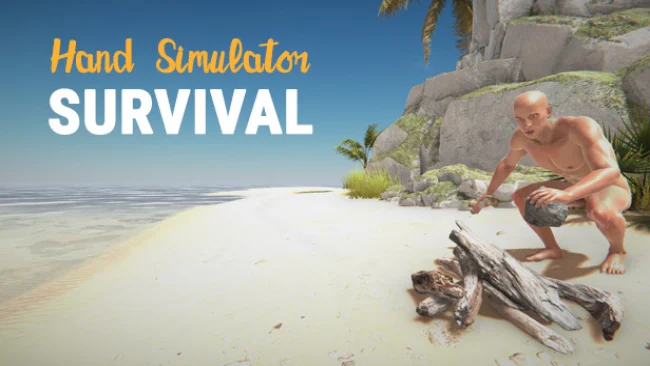
A deserted island becomes a slapstick survival arena where even picking up a stick can turn into a crisis. Hand Simulator: Survival mixes basic wilderness crafting with deliberately awkward physics controls, making every hunt, campfire, and improvised shelter feel like a test of coordination. The goal is simple on paper: outlast the harsh conditions, signal a passing ship, and escape before hunger, thirst, cold, or a bad decision ends the run. Its tone sits somewhere between tense survival challenge and chaotic party-game comedy, especially when several players are fumbling through the same emergency.
Players control individual hands directly while gathering materials, carrying supplies, using tools, lighting fires, and constructing protection from the elements. Water and food demand constant attention, while animals provide resources but are not always easy to catch when aiming, grabbing, and operating equipment require precise movements. Day and night cycles change the pressure considerably, with darkness and exposure making a reliable fire and shelter essential rather than decorative. Up to eight people can survive together, cooperate on building a camp, compete for limited supplies, or accidentally sabotage one another through the game’s intentionally unpredictable handling.
What separates Hand Simulator: Survival from more polished crafting games is its commitment to physical clumsiness. Where titles like The Forest or Rust focus on efficient gathering and combat, this game turns the act of using your body into the main obstacle, producing failures that are often as entertaining as successful escapes. The revised hand-control system aims for quicker movement and steadier interaction than earlier Hand Simulator scenarios, but it still rewards patience, dexterity, and a willingness to laugh at mistakes. It suits groups looking for a weird co-op survival session far more than players who want deep progression, a large open world, or a serious simulation.
Screenshots
Installation
- Select the Download button at the top of this page to open UploadHaven.
- On UploadHaven, wait for any countdown, then select Free Download. Optional: UploadHaven Pro for faster downloads.
- When complete, extract the archive to a Hand Simulator: Survival folder using 7-Zip.
- Open the extracted folder and start the game normally.
- For errors, check Setup Guide & Troubleshooting below. Keep your security software enabled.
System Requirements
- OS: 64-bit Windows 7, Windows 8.1, Windows 10
- Processor: Intel Core i3-4340 / AMD FX-6300
- Memory: 2 GB RAM
- Graphics: NVIDIA GeForce GTX 960 2GB / AMD Radeon R7 370 2GB
- DirectX: Version 11
- Network: Broadband Internet connection
- Storage: 2 GB available space
Setup Guide & Troubleshooting
How do I fix missing DLL errors for Hand Simulator: Survival (v1.0)?
After extracting Hand Simulator: Survival (v1.0), navigate to the _Redist or _CommonRedist folder inside the game directory and install DirectX, Vcredist, and any other dependencies included.
What should I do if the downloaded file is corrupted?
The full archive is 1.57 GB — make sure your download completed fully before extracting. Use 7-Zip to extract the files. If you still see a "file corrupted" error, re-download and try again.
Do I need to run the game as administrator?
Usually, no. Start the game normally from the extracted folder. If you see a permissions or save error, check that the folder is writable and follow the game's documented fix. Only grant administrator access when a trusted game's specific setup requires it.
How do I update my GPU drivers for this game?
The game won't launch — what should I try?
Check that extraction completed and your PC meets the system requirements, including Version 11. Note any error message before choosing a fix. If it identifies a missing runtime, install the required DirectX components or Microsoft Visual C++ Redistributable from Microsoft.
My antivirus is blocking the game — is it safe?
A warning needs to be investigated; the download source alone cannot confirm that a file is safe. Keep your security software enabled and review the detection details. Do not run or restore a flagged file unless you have verified that it is a false positive. If you are unsure, leave it quarantined.