
Game Overview
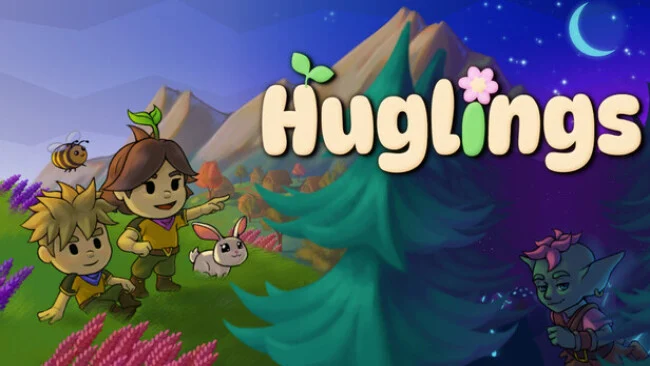
A gentle island adventure trades swords and survival pressure for gardening gloves, fishing rods, and neighborly problem-solving. You play as a customizable Hugling whose peaceful village faces disruption from a nearby goblin community, though the conflict is built around misunderstanding rather than violence. The result is a colorful, storybook life sim with a warm, deliberately unhurried mood, where restoring harmony matters as much as furnishing a home. Its central campaign follows the connection between two very different communities while keeping the stakes friendly enough for a relaxed evening session.
Days revolve around gathering wood, stone, flowers, berries, and other materials, then turning those resources into furniture, decorations, and a more comfortable life. You plant crops in your garden, sell the harvest for new items, fish in quiet waters, care for animals, and gradually shape both your home and its outdoor space. Exploration leads through lakeside viewpoints, markets, mountain paths, underground caverns, and the stranger, more fantastical goblin settlement, where environmental challenges and quests replace combat encounters. The story takes roughly eight to twelve hours, but daily tasks, farming, decorating, and collectible resources give the island a longer tail; up to four players can also cooperate, including sharing decorating duties.
What makes Huglings appealing is its commitment to kindness as a mechanical and narrative idea: goblins are mischievous rather than murderous, and progress comes through curiosity, conversation, and helpfulness. Character customization goes beyond a basic outfit picker, letting players adjust hairstyles, accessories, colors, backpacks, and playful details such as animal-ear headphones, while a pet companion adds extra personality to exploration. It sits comfortably beside Animal Crossing, Stardew Valley, and other cozy life sims, though its handcrafted fantasy setting and story-focused village relationship give it a distinct flavor. Players seeking hard combat, deep economic optimization, or endless systems may find it slight, but newcomers to the genre and co-op groups wanting a low-stress creative retreat should find plenty to enjoy.
Screenshots
Installation
- Select the Download button at the top of this page to open UploadHaven.
- On UploadHaven, wait for any countdown, then select Free Download. Optional: UploadHaven Pro for faster downloads.
- When complete, extract the archive to a Huglings folder using 7-Zip.
- Open the extracted folder and start the game normally.
- For errors, check Setup Guide & Troubleshooting below. Keep your security software enabled.
System Requirements
- OS: Windows 10+
- Processor: Intel Core i3-13100 / AMD Ryzen 3 5300
- Memory: 8 GB RAM
- Graphics: Intel UHD Graphics 630 or AMD equivalent
- Network: Broadband Internet connection
- Storage: 3 GB available space
Setup Guide & Troubleshooting
How do I fix missing DLL errors for Huglings?
After extracting Huglings, navigate to the _Redist or _CommonRedist folder inside the game directory and install DirectX, Vcredist, and any other dependencies included.
What should I do if the downloaded file is corrupted?
The full archive is 1.80 GB — make sure your download completed fully before extracting. Use 7-Zip to extract the files. If you still see a "file corrupted" error, re-download and try again.
Do I need to run the game as administrator?
Usually, no. Start the game normally from the extracted folder. If you see a permissions or save error, check that the folder is writable and follow the game's documented fix. Only grant administrator access when a trusted game's specific setup requires it.
How do I update my GPU drivers for this game?
The game won't launch — what should I try?
Check that extraction completed and your PC meets the system requirements. Note any error message before choosing a fix. If it identifies a missing runtime, install the required DirectX components or Microsoft Visual C++ Redistributable from Microsoft.
My antivirus is blocking the game — is it safe?
A warning needs to be investigated; the download source alone cannot confirm that a file is safe. Keep your security software enabled and review the detection details. Do not run or restore a flagged file unless you have verified that it is a false positive. If you are unsure, leave it quarantined.