
Game Overview
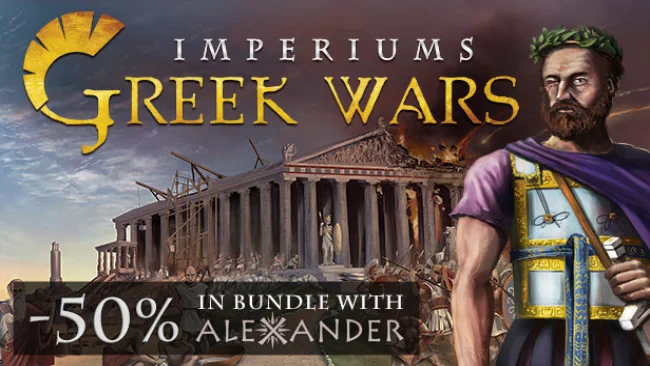
Ancient Greece becomes a dense, cutthroat strategy sandbox where every border dispute can grow into a war for the Hellenic world. Set from 359 BC, the campaign begins as Philip II rises in Macedon, but the map extends far beyond his ambitions: Athens, Sparta, Persia, independent city-states, and frontier peoples all pursue their own survival and supremacy. Imperiums: Greek Wars blends historical grand strategy with turn-based 4X design, then adds gods, heroes, omens, and legendary treasures to make its classical setting feel less like a textbook and more like a living Greek epic. The tone is demanding and political, with prosperity and conquest carrying equal weight.
Each turn involves managing cities, securing resources, improving infrastructure, raising armies, researching advances, and responding to threats both military and domestic. Warfare is fought on a hex-based map, where terrain, unit composition, supply considerations, and tactical positioning matter far more than simply stacking the largest force. Diplomacy is rarely straightforward: alliances, trade, rival ambitions, internal problems, and the shifting loyalties of neighboring powers force players to think beyond the next battle. Every faction has its own starting position and strategic pressures, so leading Macedon’s disciplined expansion feels very different from maintaining an overstretched Persian realm or protecting a vulnerable Greek polis.
Its strongest feature is the sheer breadth of responsibility placed on the ruler. You are not merely painting the map in your color; you are handling food, order, administration, military command, foreign policy, and unexpected myth-inspired events that can reshape a campaign. The blend of grounded history and supernatural flavor gives the game a distinctive identity, while the large faction roster provides substantial replay value. Players who enjoy Civilization’s empire management but want the tougher political friction and historical focus of Total War’s campaign layer should find plenty to like here. Newcomers need patience with its many interconnected systems, but veteran strategy players will appreciate how often a clever plan must adapt to crisis.
Screenshots
Installation
- Select the Download button at the top of this page to open UploadHaven.
- On UploadHaven, wait for any countdown, then select Free Download. Optional: UploadHaven Pro for faster downloads.
- When complete, extract the archive to a Imperiums: Greek Wars folder using 7-Zip.
- Open the extracted folder and start the game normally.
- For errors, check Setup Guide & Troubleshooting below. Keep your security software enabled.
System Requirements
- OS: Windows 10
- Processor: Dual Core 2.0 GHz
- Memory: 2 GB RAM
- Graphics: DirectX 9 class GPU with 1GB VRAM
- DirectX: Version 9.0
- Storage: 2 GB available space
Setup Guide & Troubleshooting
How do I fix missing DLL errors for Imperiums: Greek Wars (v1.422 & ALL DLC)?
After extracting Imperiums: Greek Wars (v1.422 & ALL DLC), navigate to the _Redist or _CommonRedist folder inside the game directory and install DirectX, Vcredist, and any other dependencies included.
What should I do if the downloaded file is corrupted?
The full archive is 9.79 GB — make sure your download completed fully before extracting. Use 7-Zip to extract the files. If you still see a "file corrupted" error, re-download and try again.
Do I need to run the game as administrator?
Usually, no. Start the game normally from the extracted folder. If you see a permissions or save error, check that the folder is writable and follow the game's documented fix. Only grant administrator access when a trusted game's specific setup requires it.
How do I update my GPU drivers for this game?
The game won't launch — what should I try?
Check that extraction completed and your PC meets the system requirements, including Version 9.0. Note any error message before choosing a fix. If it identifies a missing runtime, install the required DirectX components or Microsoft Visual C++ Redistributable from Microsoft.
My antivirus is blocking the game — is it safe?
A warning needs to be investigated; the download source alone cannot confirm that a file is safe. Keep your security software enabled and review the detection details. Do not run or restore a flagged file unless you have verified that it is a false positive. If you are unsure, leave it quarantined.