
Game Overview
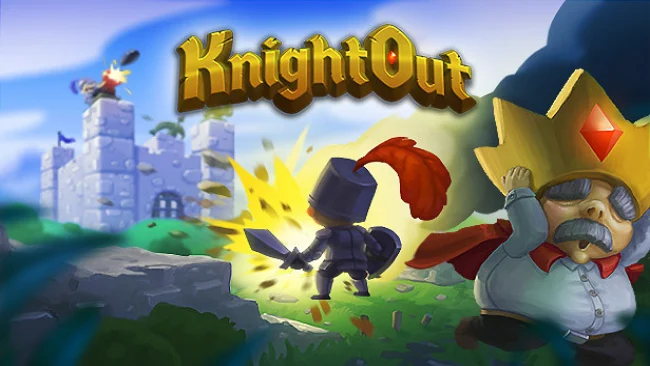
Medieval warfare gets a gleefully chaotic party-game twist in this fast, colorful brawler built around castles that are as fragile as they are dangerous. Up to four players clash as armored knights, first constructing a defensive stronghold and then trying to reduce the opposing team’s fortress to rubble. Cannons blast holes through stone, traps punish reckless attackers, and close-range sword fights break out once the walls come down. The tone stays light and cartoonish, but matches can become surprisingly tense when a single exposed king or queen decides the round.
Every competitive match begins with a building phase, where players place walls, weapons, and defenses before the fighting starts. From there, teams choose between direct melee pressure, ranged attacks, castle siege tactics, and opportunistic attempts to break into the enemy base and knock out its ruler. Winning requires three round victories, and the chance to rebuild between rounds means a failed design can be replaced with a smarter layout rather than dooming the whole match. Alongside versus play, KnightOut includes a solo or co-op adventure that sends players across several kingdoms, earning cupcakes to unlock new areas and equipment while cinematic scenes carry its deliberately cute story forward.
Castle construction is the feature that separates KnightOut from a standard arena fighter: positioning a cannon or trap well can matter as much as sword skill. Its destructible environments give every battle a messy, improvised quality, especially when friends turn carefully planned defenses into piles of debris within seconds. The wave-defense mode adds another cooperative option, rewarding defeated enemies with gold that improves the castle between attacks, while leaderboards offer a reason to chase stronger runs. Fans of local multiplayer mayhem in the vein of Gang Beasts or TowerFall, but with more building and siege warfare, find the most to enjoy here; newcomers can jump in easily, while competitive groups get the most out of learning clever fortress layouts.
Screenshots
Installation
- Select the Download button at the top of this page to open UploadHaven.
- On UploadHaven, wait for any countdown, then select Free Download. Optional: UploadHaven Pro for faster downloads.
- When complete, extract the archive to a KnightOut folder using 7-Zip.
- Open the extracted folder and start the game normally.
- For errors, check Setup Guide & Troubleshooting below. Keep your security software enabled.
System Requirements
- OS: Windows 7, Windows 8.1, Windows 10
- Processor: Intel duel core (2.4 GHz) or equivalent
- Memory: 4 GB RAM
- Graphics: Intel HD 4000, GeForce 8800 GT, ATI 1950 or better
- DirectX: Version 11
- Storage: 5 GB available space
- Additional Notes: Controller is advised
Setup Guide & Troubleshooting
How do I fix missing DLL errors for KnightOut?
After extracting KnightOut, navigate to the _Redist or _CommonRedist folder inside the game directory and install DirectX, Vcredist, and any other dependencies included.
What should I do if the downloaded file is corrupted?
The full archive is 2.15 GB — make sure your download completed fully before extracting. Use 7-Zip to extract the files. If you still see a "file corrupted" error, re-download and try again.
Do I need to run the game as administrator?
Usually, no. Start the game normally from the extracted folder. If you see a permissions or save error, check that the folder is writable and follow the game's documented fix. Only grant administrator access when a trusted game's specific setup requires it.
How do I update my GPU drivers for this game?
The game won't launch — what should I try?
Check that extraction completed and your PC meets the system requirements, including Version 11. Note any error message before choosing a fix. If it identifies a missing runtime, install the required DirectX components or Microsoft Visual C++ Redistributable from Microsoft.
My antivirus is blocking the game — is it safe?
A warning needs to be investigated; the download source alone cannot confirm that a file is safe. Keep your security software enabled and review the detection details. Do not run or restore a flagged file unless you have verified that it is a false positive. If you are unsure, leave it quarantined.