
Game Overview
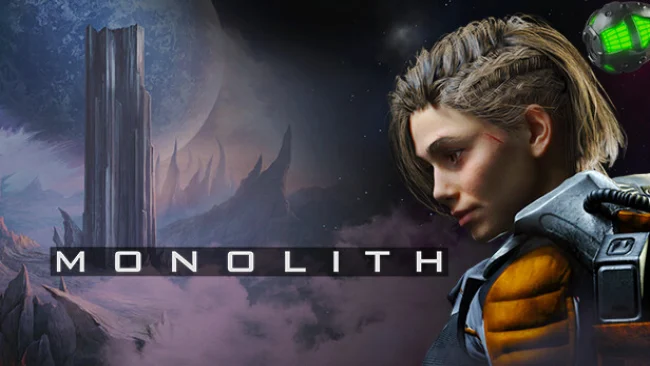
Tessa’s crash landing turns a seemingly lifeless alien world into a tense, slow-burning survival mystery. Stranded far from help with fractured memories and a damaged spacecraft, she searches for answers alongside C.O.R.E., a compact analysis robot whose practical tools become her only reliable support. Monolith trades action spectacle for isolation, unease, and the creeping realization that an abandoned corporate mining facility may hide far more than a failed operation. Its hand-drawn backdrops give the rocks, swamps, and rusting machinery a bleak but strangely inviting character.
Play revolves around traditional mouse-driven adventure-game investigation: inspect every room, collect useful objects, read environmental clues, and connect seemingly unrelated details until a route forward emerges. Tessa repairs equipment, operates aging industrial systems, and combines inventory items to overcome locked doors, broken infrastructure, and the planet’s hostile conditions. C.O.R.E. adds more than commentary, offering analysis functions that help examine the environment and frame puzzles without turning the journey into a hand-holding exercise. Expect a measured seven-to-nine-hour campaign where careful observation matters more than quick reflexes, with challenges built around logic, machinery, and narrative context.
What separates Monolith from many modern sci-fi adventures is its commitment to classic point-and-click structure while presenting scenes with detailed 2D art and smoothly animated 3D characters. The small cast and lonely setting keep the focus tightly on Tessa’s increasingly personal investigation, making each restored machine or newly opened corridor feel like progress against an indifferent world. Its puzzles reward players who enjoy taking notes mentally, revisiting locations, and testing how tools interact rather than those looking for constant cinematic action. Fans of games such as The Dig, Syberia, and modern indie adventures with a darker science-fiction edge should find plenty to like, while newcomers get a focused, approachable mystery without the sprawl of a huge open-world survival game.
Screenshots
Installation
- Select the Download button at the top of this page to open UploadHaven.
- On UploadHaven, wait for any countdown, then select Free Download. Optional: UploadHaven Pro for faster downloads.
- When complete, extract the archive to a Monolith folder using 7-Zip.
- Open the extracted folder and start the game normally.
- For errors, check Setup Guide & Troubleshooting below. Keep your security software enabled.
System Requirements
- OS: Windows 10
- Processor: 1.4 GHz
- Memory: 3 GB RAM
- Storage: 8 GB available space
- Sound Card: Windows Compatible Audio Device
Setup Guide & Troubleshooting
How do I fix missing DLL errors for Monolith (v1.1.7.001)?
After extracting Monolith (v1.1.7.001), navigate to the _Redist or _CommonRedist folder inside the game directory and install DirectX, Vcredist, and any other dependencies included.
What should I do if the downloaded file is corrupted?
The full archive is 1.73 GB — make sure your download completed fully before extracting. Use 7-Zip to extract the files. If you still see a "file corrupted" error, re-download and try again.
Do I need to run the game as administrator?
Usually, no. Start the game normally from the extracted folder. If you see a permissions or save error, check that the folder is writable and follow the game's documented fix. Only grant administrator access when a trusted game's specific setup requires it.
How do I update my GPU drivers for this game?
The game won't launch — what should I try?
Check that extraction completed and your PC meets the system requirements. Note any error message before choosing a fix. If it identifies a missing runtime, install the required DirectX components or Microsoft Visual C++ Redistributable from Microsoft.
My antivirus is blocking the game — is it safe?
A warning needs to be investigated; the download source alone cannot confirm that a file is safe. Keep your security software enabled and review the detection details. Do not run or restore a flagged file unless you have verified that it is a false positive. If you are unsure, leave it quarantined.