
Game Overview
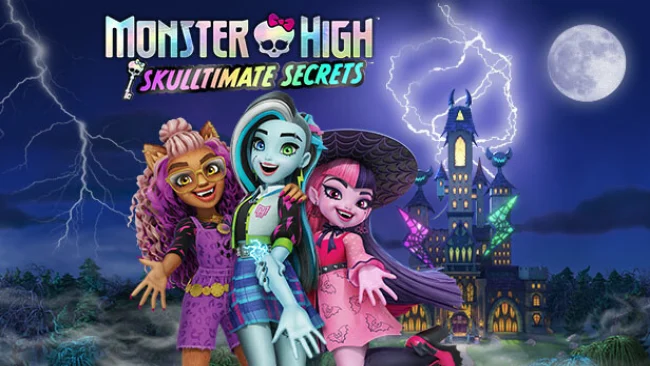
Monster High’s familiar halls become the setting for a colorful mystery adventure where a new student must investigate strange disturbances behind locked doors and forgotten secrets. Monster High Skulltimate Secrets trades scares for playful spooky energy, pairing a schoolwide conspiracy with the series’ message of individuality and self-expression. You create a custom monster from different supernatural origins, then join Clawdeen Wolf, Draculaura, and Frankie Stein as part of their tight-knit Boo Crew. The result is a kid-friendly 3D adventure that feels warm, upbeat, and packed with fang-tastic personality rather than genuinely frightening.
Most of the action revolves around roaming the school, following clues, speaking with familiar characters, and opening up previously unreachable areas. Platforming and light environmental puzzles drive progression, while new powers let your character revisit locations in more inventive ways; the Vampire Jump extends vertical reach, while the Gorgon Dash helps cross obstacles and move quickly through the academy. Hidden Rooms serve as the central objective, with ancient keys and suspicious events gradually revealing what is changing Monster High. Monster Points earned during play can be spent on additional outfits and cosmetics, so exploration has a practical reward beyond moving the story forward.
Its strongest feature is the way customization is woven into the Monster High identity rather than treated as a side menu: your student’s monster type, appearance, clothes, and unlocked looks all reinforce the idea of standing out. The school acts as a compact, recognizable hub full of secrets, colorful gothic décor, and callbacks for fans of the dolls and animated series. Combat is not the focus, making the experience more about accessible exploration, collecting, and simple ability-gated progression than demanding action challenges. Fans of lighthearted licensed adventures in the vein of My Little Pony: A Maretime Bay Adventure, especially younger players and Monster High devotees, find a welcoming mystery with plenty of style.
Screenshots
Installation
- Select the Download button at the top of this page to open UploadHaven.
- On UploadHaven, wait for any countdown, then select Free Download. Optional: UploadHaven Pro for faster downloads.
- When complete, extract the archive to a Monster High Skulltimate Secrets folder using 7-Zip.
- Open the extracted folder and start the game normally.
- For errors, check Setup Guide & Troubleshooting below. Keep your security software enabled.
System Requirements
- OS: Windows 10 64-Bit
- Processor: AMD Ryzen 5 2500X / Intel Core i5-8400
- Memory: 8 GB RAM
- Graphics: AMD Radeon R9 280 / Nvidia GTX 960
- DirectX: Version 11
- Storage: 16 GB available space
- Sound Card: DirectX Compatible Sound Card
Setup Guide & Troubleshooting
How do I fix missing DLL errors for Monster High Skulltimate Secrets (v1.12)?
After extracting Monster High Skulltimate Secrets (v1.12), navigate to the _Redist or _CommonRedist folder inside the game directory and install DirectX, Vcredist, and any other dependencies included.
What should I do if the downloaded file is corrupted?
The full archive is 2.45 GB — make sure your download completed fully before extracting. Use 7-Zip to extract the files. If you still see a "file corrupted" error, re-download and try again.
Do I need to run the game as administrator?
Usually, no. Start the game normally from the extracted folder. If you see a permissions or save error, check that the folder is writable and follow the game's documented fix. Only grant administrator access when a trusted game's specific setup requires it.
How do I update my GPU drivers for this game?
The game won't launch — what should I try?
Check that extraction completed and your PC meets the system requirements, including Version 11. Note any error message before choosing a fix. If it identifies a missing runtime, install the required DirectX components or Microsoft Visual C++ Redistributable from Microsoft.
My antivirus is blocking the game — is it safe?
A warning needs to be investigated; the download source alone cannot confirm that a file is safe. Keep your security software enabled and review the detection details. Do not run or restore a flagged file unless you have verified that it is a false positive. If you are unsure, leave it quarantined.