
Game Overview
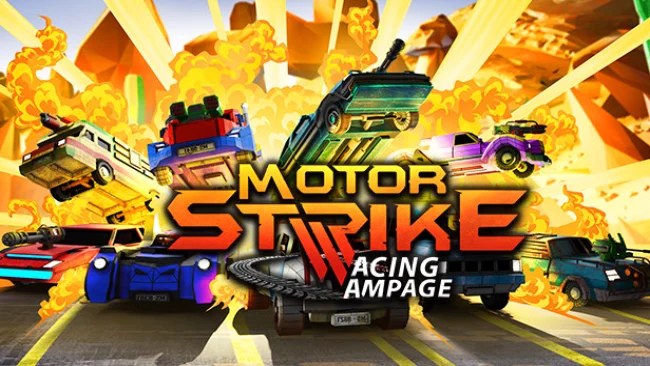
Tire smoke, nitrous flames, and flying missiles define a racer that treats every lap like a demolition derby with a finish line attached. Motor Strike: Racing Rampage is an arcade combat racer built around aggressive drifting, weapon pickups, and chaotic courses where a clean racing line rarely survives for long. Its tone is loud, colorful, and knowingly over-the-top, favoring instant action over simulation-minded handling. Whether you are blasting past rivals with a boost or recovering from a missile strike, the focus stays on fast, rowdy party-racing energy.
Races revolve around choosing one of 14 vehicles, each with its own look and abilities, then tearing through more than 20 tracks spread across six circuit styles. Drifting charges your momentum and helps set up the Dragon Boost, while seven weapons—including rapid-fire guns, laser weaponry, and homing missiles—turn nearby opponents into targets rather than merely competitors. The Strike Back and Rolling Strike mechanics add extra ways to retaliate and disrupt the pack, and hostile green minions on the road provide another hazard to dodge or destroy. Multiple modes and configurable race directives let players shape the rules, while solo play sits alongside four-player local split-screen and online races for up to eight drivers.
What separates it from more traditional kart racers is its heavier emphasis on armed vehicles and sustained vehicular combat; placement matters, but surviving the mayhem matters just as much. The handling appears designed for accessible slides and spectacular recoveries rather than the precision demanded by serious circuit racers, making it easy to bring newcomers into a match. Fans of Mario Kart’s item-fueled grudges, Blur’s weaponized racing, or the rougher arcade spirit of old-school combat racers should find its mix of boosts, guns, and multiplayer rivalry appealing. It suits groups looking for a quick local or online party game, especially players who prefer laughing at a friend’s wreckage to protecting a flawless lap time.
Screenshots
Installation
- Select the Download button at the top of this page to open UploadHaven.
- On UploadHaven, wait for any countdown, then select Free Download. Optional: UploadHaven Pro for faster downloads.
- When complete, extract the archive to a Motor Strike: Racing Rampage folder using 7-Zip.
- Open the extracted folder and start the game normally.
- For errors, check Setup Guide & Troubleshooting below. Keep your security software enabled.
System Requirements
- OS: Widnows 10
- Processor: Intel Core i3-4160 @ 3.60GHz
- Memory: 3 GB RAM
- Graphics: AMD Radeon HD7870 / NVIDIA GeForce GTX 660,
- DirectX: Version 9.0
- Storage: 4120 MB available space
Setup Guide & Troubleshooting
How do I fix missing DLL errors for Motor Strike: Racing Rampage?
After extracting Motor Strike: Racing Rampage, navigate to the _Redist or _CommonRedist folder inside the game directory and install DirectX, Vcredist, and any other dependencies included.
What should I do if the downloaded file is corrupted?
The full archive is 692.91 MB — make sure your download completed fully before extracting. Use 7-Zip to extract the files. If you still see a "file corrupted" error, re-download and try again.
Do I need to run the game as administrator?
Usually, no. Start the game normally from the extracted folder. If you see a permissions or save error, check that the folder is writable and follow the game's documented fix. Only grant administrator access when a trusted game's specific setup requires it.
How do I update my GPU drivers for this game?
The game won't launch — what should I try?
Check that extraction completed and your PC meets the system requirements, including Version 9.0. Note any error message before choosing a fix. If it identifies a missing runtime, install the required DirectX components or Microsoft Visual C++ Redistributable from Microsoft.
My antivirus is blocking the game — is it safe?
A warning needs to be investigated; the download source alone cannot confirm that a file is safe. Keep your security software enabled and review the detection details. Do not run or restore a flagged file unless you have verified that it is a false positive. If you are unsure, leave it quarantined.