
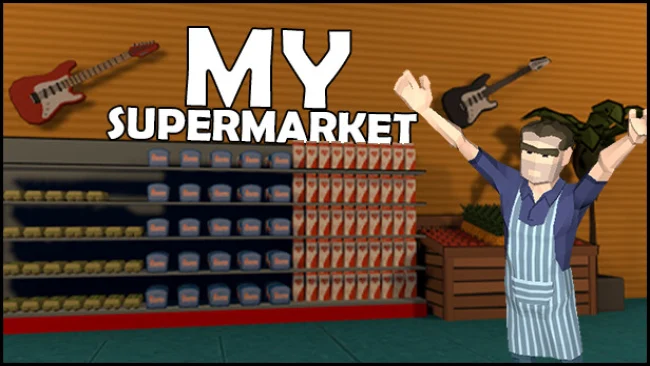
Game Overview
Running a busy city grocery store becomes a surprisingly hands-on team challenge, mixing retail management with the low-key chaos of serving impatient customers. My Supermarket is a third-person simulation built around designing, stocking, cleaning, and expanding a shop that grows from a modest storefront into a demanding operation. Its tone stays approachable and playful rather than ruthlessly economic, especially when friends are involved and workplace horseplay is part of the shift. Every aisle, decorative choice, and checkout delay affects how smoothly the business runs.
The daily loop begins with ordering merchandise, receiving deliveries, organizing warehouse stock, and carrying goods out to shelves before popular items disappear. Customers need quick service at the register, while litter and muddy footprints force you to keep one eye on cleanliness as well as inventory. Money goes back into new furniture, product-related fixtures, décor, walls, floors, and purpose-built rooms such as staff areas, coffee spaces, restrooms, or health zones. As the store becomes larger, hiring workers, researching additional objects, and striking deals with brands help lighten the workload, though efficient layout planning remains important.
Creative store building gives the management side more personality than a simple spreadsheet simulator: items can be positioned, rotated, and arranged to create a practical market or an intentionally ridiculous public space filled with plants, frames, and even slot machines. Up to four players can share a lobby, dividing duties between stocking, checkout work, cleaning, and construction; naturally, the option to smack teammates adds a little slapstick to a stressful rush. The game suits players who enjoy the accessible, task-driven rhythm of Supermarket Simulator but want a more social, customizable experience with a third-person perspective. Solo players can build at their own pace, while co-op groups get the most out of its escalating chores and the inevitable arguments over who forgot to restock the shelves.
Screenshots
Installation
- Select the Download button at the top of this page to open UploadHaven.
- On UploadHaven, wait for any countdown, then select Free Download. Optional: UploadHaven Pro for faster downloads.
- When complete, extract the archive to a My Supermarket folder using 7-Zip.
- Open the extracted folder and start the game normally.
- For errors, check Setup Guide & Troubleshooting below. Keep your security software enabled.
System Requirements
- OS: Windows
- Processor: i3 or equivalent
- Memory: 2 GB RAM
- Graphics: Nvidia 420M or requivalent
- Storage: 500 MB available space
Setup Guide & Troubleshooting
How do I fix missing DLL errors for My Supermarket (v0.6.0)?
After extracting My Supermarket (v0.6.0), navigate to the _Redist or _CommonRedist folder inside the game directory and install DirectX, Vcredist, and any other dependencies included.
What should I do if the downloaded file is corrupted?
The full archive is 555.82 MB — make sure your download completed fully before extracting. Use 7-Zip to extract the files. If you still see a "file corrupted" error, re-download and try again.
Do I need to run the game as administrator?
Usually, no. Start the game normally from the extracted folder. If you see a permissions or save error, check that the folder is writable and follow the game's documented fix. Only grant administrator access when a trusted game's specific setup requires it.
How do I update my GPU drivers for this game?
The game won't launch — what should I try?
Check that extraction completed and your PC meets the system requirements. Note any error message before choosing a fix. If it identifies a missing runtime, install the required DirectX components or Microsoft Visual C++ Redistributable from Microsoft.
My antivirus is blocking the game — is it safe?
A warning needs to be investigated; the download source alone cannot confirm that a file is safe. Keep your security software enabled and review the detection details. Do not run or restore a flagged file unless you have verified that it is a false positive. If you are unsure, leave it quarantined.