
Game Overview
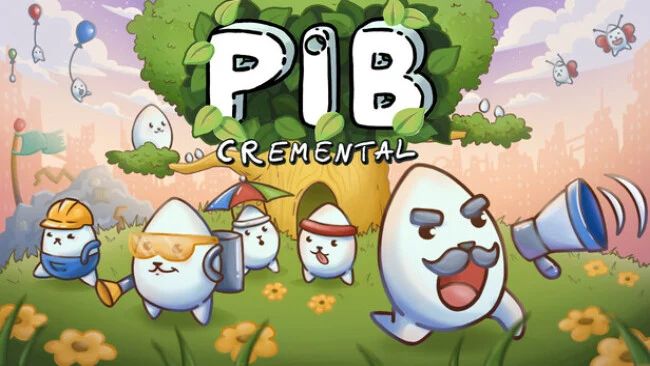
A tiny survivor settlement grows among the branches of an enormous tree, long after humanity has disappeared and the Pibbles inherit what remains. Pibcremental turns the familiar idle-clicker formula into a warm, deliberately silly civilization builder, balancing constant number growth with a strange little society of round creatures and ridiculous architecture. Its tone stays cozy even when production lines become absurdly busy, making it a natural fit for players who enjoy watching a modest setup snowball into a resource-devouring machine. Papa Pib begins alone, but the tree soon becomes a bustling vertical colony.
The early loop centers on hatching Pibs, placing them in available workplaces, collecting their output, and spending those materials on upgrades or further expansion. Growing the tree reveals additional resources, production buildings, and clickable structures that provide bursts of output when manually tapped, while passive improvements keep the colony working when the game sits idle. Special events interrupt the regular routine with focused challenges and useful rewards, including relics that enhance particular buildings and encourage players to rethink their preferred production chains. Prestige eventually resets a run in exchange for lasting bonuses, so each fresh attempt starts faster and supports more specialized strategies.
What separates Pibcremental from more sterile spreadsheet-style clickers is its sense of place: every expansion feels like another odd corner of a living tree-city rather than simply another menu unlock. The mix of active clicking, workforce assignment, relic bonuses, events, and reset planning gives attentive players more to optimize than a basic idle game, without demanding the intensity of a management sim. Runs are built around incremental experimentation, whether that means maximizing a favorite factory, prioritizing tree growth, or banking resources before a prestige reset. Fans of Cookie Clicker, AdVenture Capitalist, and light automation games should find plenty to enjoy, while newcomers get an approachable introduction to the genre’s satisfying cycle of growth, reset, and stronger growth.
Screenshots
Installation
- Select the Download button at the top of this page to open UploadHaven.
- On UploadHaven, wait for any countdown, then select Free Download. Optional: UploadHaven Pro for faster downloads.
- When complete, extract the archive to a Pibcremental folder using 7-Zip.
- Open the extracted folder and start the game normally.
- For errors, check Setup Guide & Troubleshooting below. Keep your security software enabled.
System Requirements
- OS: Windows 10
- Processor: 2.7 GHz Dual Core
- Memory: 4 GB RAM
- Graphics: 512MB, OpenGL 3+
- Storage: 250 MB available space
Setup Guide & Troubleshooting
How do I fix missing DLL errors for Pibcremental?
After extracting Pibcremental, navigate to the _Redist or _CommonRedist folder inside the game directory and install DirectX, Vcredist, and any other dependencies included.
What should I do if the downloaded file is corrupted?
The full archive is 244.99 MB — make sure your download completed fully before extracting. Use 7-Zip to extract the files. If you still see a "file corrupted" error, re-download and try again.
Do I need to run the game as administrator?
Usually, no. Start the game normally from the extracted folder. If you see a permissions or save error, check that the folder is writable and follow the game's documented fix. Only grant administrator access when a trusted game's specific setup requires it.
How do I update my GPU drivers for this game?
The game won't launch — what should I try?
Check that extraction completed and your PC meets the system requirements. Note any error message before choosing a fix. If it identifies a missing runtime, install the required DirectX components or Microsoft Visual C++ Redistributable from Microsoft.
My antivirus is blocking the game — is it safe?
A warning needs to be investigated; the download source alone cannot confirm that a file is safe. Keep your security software enabled and review the detection details. Do not run or restore a flagged file unless you have verified that it is a false positive. If you are unsure, leave it quarantined.