
Game Overview
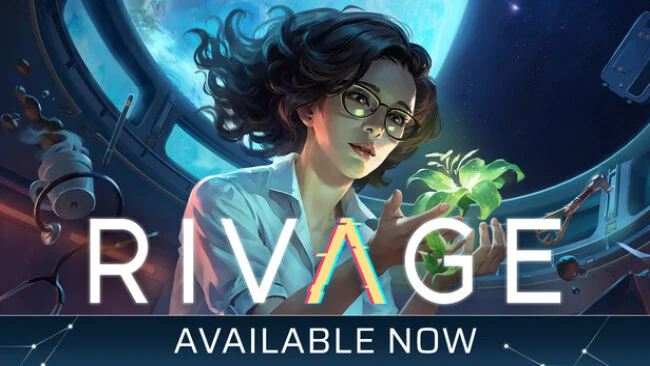
An abandoned research station hangs above the potentially habitable world of VESTA, warped by a cosmic anomaly that leaves its corridors quiet, unstable, and full of unanswered questions. Rivage casts players as Miranda, a crew member who wakes alone aboard A.R.E.S. with no clear explanation for the disaster that scattered or consumed everyone around her. The 25th-century setting supplies sleek technology and scientific ambition, but the mood is intimate rather than action-heavy: a lonely, reflective mystery about isolation, discovery, and the cost of pushing humanity into the unknown. Its tension comes from uncertainty, environmental detail, and the uneasy suggestion that the station itself is responding to Miranda’s actions.
Progress revolves around carefully searching interconnected rooms, inspecting equipment, reading logs, and using gathered clues to restore access to sealed sections. Puzzles grow naturally from the station’s failing infrastructure, asking Miranda to repair systems, manipulate mechanisms, and reason through challenges involving gravity, magnetism, and temporal distortions. Rather than relying on combat, the game rewards observation and logical experimentation; an overlooked object, changed doorway, or strange message may be the key to moving forward. The K9 system records discoveries and preserves certain solved puzzle states, reducing busywork and letting players concentrate on the larger investigation instead of repeating old solutions.
A.R.E.S. stands out as more than a backdrop, with interactable objects, research materials, private journals, and encrypted communications building a picture of the vanished crew. Miranda’s search gradually reveals professional rivalries, personal fears, and the psychological damage caused by confinement, giving the sci-fi premise a human center. Players who enjoy the environmental storytelling of Tacoma, the methodical puzzles of The Talos Principle, or the lonely atmosphere of observation-focused space adventures should find plenty to like here. Rivage suits newcomers to puzzle adventures because of its tracking system, while dedicated mystery fans can savor its layered clues and deliberate pace.
Screenshots
Installation
- Select the Download button at the top of this page to open UploadHaven.
- On UploadHaven, wait for any countdown, then select Free Download. Optional: UploadHaven Pro for faster downloads.
- When complete, extract the archive to a Rivage folder using 7-Zip.
- Open the extracted folder and start the game normally.
- For errors, check Setup Guide & Troubleshooting below. Keep your security software enabled.
System Requirements
- OS: Windows 10
- Processor: Intel Core i5-9400F / AMD Ryzen 5 3600
- Memory: 16 GB RAM
- Graphics: NVIDIA GTX 1070 Ti / AMD RX Vega 56
- DirectX: Version 12
- Storage: 12 GB available space
Setup Guide & Troubleshooting
How do I fix missing DLL errors for Rivage (v1.0.22)?
After extracting Rivage (v1.0.22), navigate to the _Redist or _CommonRedist folder inside the game directory and install DirectX, Vcredist, and any other dependencies included.
What should I do if the downloaded file is corrupted?
The full archive is 3.04 GB — make sure your download completed fully before extracting. Use 7-Zip to extract the files. If you still see a "file corrupted" error, re-download and try again.
Do I need to run the game as administrator?
Usually, no. Start the game normally from the extracted folder. If you see a permissions or save error, check that the folder is writable and follow the game's documented fix. Only grant administrator access when a trusted game's specific setup requires it.
How do I update my GPU drivers for this game?
The game won't launch — what should I try?
Check that extraction completed and your PC meets the system requirements, including Version 12. Note any error message before choosing a fix. If it identifies a missing runtime, install the required DirectX components or Microsoft Visual C++ Redistributable from Microsoft.
My antivirus is blocking the game — is it safe?
A warning needs to be investigated; the download source alone cannot confirm that a file is safe. Keep your security software enabled and review the detection details. Do not run or restore a flagged file unless you have verified that it is a false positive. If you are unsure, leave it quarantined.