
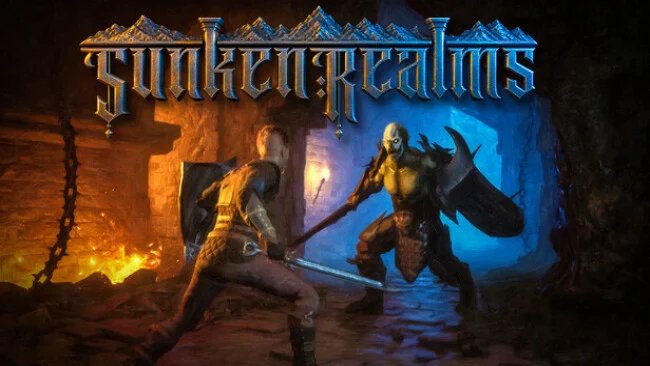
Game Overview
A missing father and a buried city give Sunken Realms a focused, personal reason to send its hero underground. Alric follows the trail into ruins beneath his home, where abandoned streets, hostile creatures, and remnants of forgotten magic wait beyond every descent. The tone is lonely but not hopeless, balancing tense dungeon runs with quieter campfire scenes that gradually reveal the emotional stakes. Rather than stretching itself across a huge map, it builds its adventure around one compelling question: what happened below, and how far is Alric willing to go for the answer?
Each expedition revolves around fighting through interconnected rooms, looting defeated enemies and chests, and deciding how deep to push before returning to safety. Melee weapons and ranged attacks support a direct, responsive combat style, while unlockable spells add stronger magical options as Alric grows more capable. Hand-built rooms shuffle into new configurations on every dungeon entry, so familiar hazards and landmarks appear in different orders instead of becoming a fixed route to memorize. Gold and gathered materials feed into the between-run progression loop at camp, where players craft equipment, cook restorative food, brew potions, trade, and improve their character for the next attempt.
Sunken Realms stands out by treating its roguelite-style repetition as part of a grounded dungeon-crawling journey rather than an excuse for endless grind. Its rearranged layouts offer replay value without relying on a fully random world, and the hand-crafted room design should keep encounters more intentional than many procedural crawlers. Conversations between Alric and his companion around the campfire provide a welcome narrative payoff between combat-heavy runs, while the original score reinforces the sense of descending into a lost place with real history. Players who enjoy the loop of Hades or Moonlighter but want a more traditional sword-and-spells dungeon adventure, a smaller-scale world, and a personal mystery should find plenty to like here.
Screenshots
Installation
- Select the Download button at the top of this page to open UploadHaven.
- On UploadHaven, wait for any countdown, then select Free Download. Optional: UploadHaven Pro for faster downloads.
- When complete, extract the archive to a Sunken Realms folder using 7-Zip.
- Open the extracted folder and start the game normally.
- For errors, check Setup Guide & Troubleshooting below. Keep your security software enabled.
Setup Guide & Troubleshooting
How do I fix missing DLL errors for Sunken Realms?
After extracting Sunken Realms, navigate to the _Redist or _CommonRedist folder inside the game directory and install DirectX, Vcredist, and any other dependencies included.
What should I do if the downloaded file is corrupted?
The full archive is 11.48 GB — make sure your download completed fully before extracting. Use 7-Zip to extract the files. If you still see a "file corrupted" error, re-download and try again.
Do I need to run the game as administrator?
Usually, no. Start the game normally from the extracted folder. If you see a permissions or save error, check that the folder is writable and follow the game's documented fix. Only grant administrator access when a trusted game's specific setup requires it.
How do I update my GPU drivers for this game?
The game won't launch — what should I try?
Check that extraction completed and your PC meets the system requirements. Note any error message before choosing a fix. If it identifies a missing runtime, install the required DirectX components or Microsoft Visual C++ Redistributable from Microsoft.
My antivirus is blocking the game — is it safe?
A warning needs to be investigated; the download source alone cannot confirm that a file is safe. Keep your security software enabled and review the detection details. Do not run or restore a flagged file unless you have verified that it is a false positive. If you are unsure, leave it quarantined.