
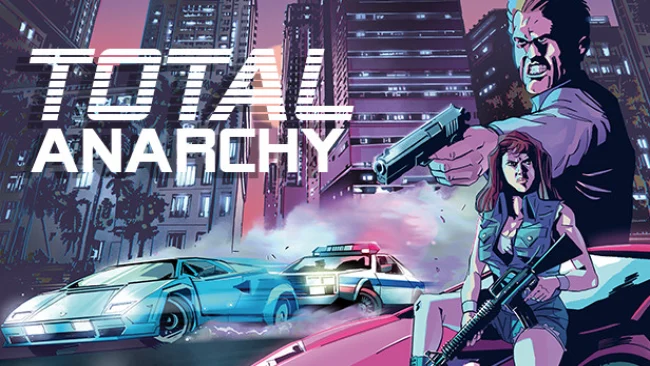
Game Overview
Late-’90s Pavilion City runs on bad decisions, faction violence, and the constant threat of somebody turning a quiet street into a firefight. Total Anarchy: Pavilion City is a top-down open-world action game built around criminal opportunism rather than heroic ambition: your friends disappear in the chaos, and survival means earning cash and taking control by any means available. Three hostile groups—the unruly hooligans, calculating guerrillas, and extremist legion—contest the city while civilians, gangs, and police make every outing unpredictable. The tone is deliberately tasteless and chaotic, echoing the rougher, more irreverent side of old-school crime sandboxes.
Most of the action comes from roaming the city, taking vehicles, finding weapons, provoking fights, and deciding how much destruction you want to leave behind. Nearly 100 vehicles give chases and escapes plenty of variety, while 26 weapons range from thrown bricks and rocks to firearms and rockets. Cars can be hijacked, boats can be destroyed, buildings can be trashed, and street encounters can escalate quickly when rival factions get involved. Money and territorial ambition provide the broad motivation, but the real loop is experimenting with the city’s systems and making your own trouble instead of following a tightly controlled campaign path.
Its top-down 3D presentation gives Pavilion City a distinctly retro feel, closer in spirit to the earliest Grand Theft Auto games than to modern cinematic open worlds. The city is supported by nine radio stations and roughly two hours of original broadcasts and music, adding welcome atmosphere to long drives and aimless mayhem. Expect crude humor, violent content, and intentionally antisocial options rather than nuanced storytelling or polished realism. Players who miss messy late-’90s sandbox games, where freedom matters more than consequences, find plenty to enjoy here; anyone wanting a guided narrative or sophisticated shooting mechanics may find the anarchy wears thin.
Screenshots
Installation
- Select the Download button at the top of this page to open UploadHaven.
- On UploadHaven, wait for any countdown, then select Free Download. Optional: UploadHaven Pro for faster downloads.
- When complete, extract the archive to a Total Anarchy: Pavilion City folder using 7-Zip.
- Open the extracted folder and start the game normally.
- For errors, check Setup Guide & Troubleshooting below. Keep your security software enabled.
System Requirements
- OS: Microsoft Windows 7
- Processor: Intel Core 2 Duo 1.8GHz / AMD Athlon X2 64 2.4GHz
- Memory: 4 GB RAM
- Graphics: Intel HD Graphics 5000 / DEDICATED VIDEO RAM: 512 MB
- DirectX: Version 9.0c
- Storage: 300 MB available space
Setup Guide & Troubleshooting
How do I fix missing DLL errors for Total Anarchy: Pavilion City?
After extracting Total Anarchy: Pavilion City, navigate to the _Redist or _CommonRedist folder inside the game directory and install DirectX, Vcredist, and any other dependencies included.
What should I do if the downloaded file is corrupted?
The full archive is 176.53 MB — make sure your download completed fully before extracting. Use 7-Zip to extract the files. If you still see a "file corrupted" error, re-download and try again.
Do I need to run the game as administrator?
Usually, no. Start the game normally from the extracted folder. If you see a permissions or save error, check that the folder is writable and follow the game's documented fix. Only grant administrator access when a trusted game's specific setup requires it.
How do I update my GPU drivers for this game?
The game won't launch — what should I try?
Check that extraction completed and your PC meets the system requirements, including Version 9.0c. Note any error message before choosing a fix. If it identifies a missing runtime, install the required DirectX components or Microsoft Visual C++ Redistributable from Microsoft.
My antivirus is blocking the game — is it safe?
A warning needs to be investigated; the download source alone cannot confirm that a file is safe. Keep your security software enabled and review the detection details. Do not run or restore a flagged file unless you have verified that it is a false positive. If you are unsure, leave it quarantined.