
Game Overview
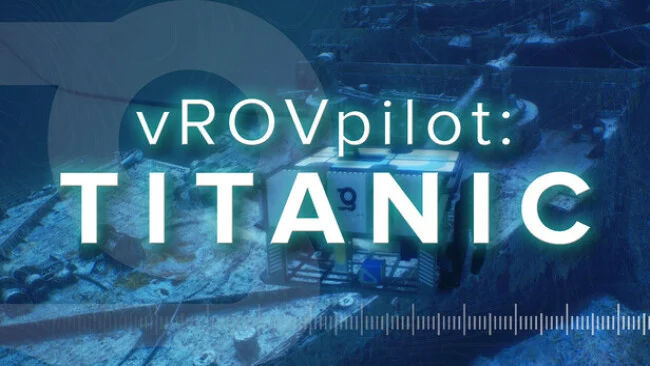
Far below the surface, the Titanic’s bow becomes the focus of a deliberately quiet deep-sea exploration simulation rather than a survival game or treasure hunt. vROVpilot: TITANIC places players at the controls of professional remotely operated vehicles, approaching the wreck through darkness, suspended debris, and the limited visibility of the North Atlantic seabed. Its tone is respectful and atmospheric, built around the eerie scale of a famous disaster site and the strange beauty of a vessel slowly yielding to the ocean. The appeal comes from observing a real-world location at a level of detail that ordinary documentaries rarely allow.
Players pilot two ROVs, Romeo and Juliet, using an interface modeled after genuine underwater operations. Early objectives guide each vehicle through survey tasks, asking players to scan notable sections of the bow and position cameras or equipment carefully around the fragile wreckage. Movement requires measured use of thrusters and attention to orientation, making navigation feel closer to operating technical machinery than flying an arcade drone. After the structured missions conclude, the experience opens into unrestricted exploration, allowing players to inspect the bow at their own pace without a countdown or pressure to “win.”
What makes the simulation stand out is its reliance on an exceptionally detailed digital survey of the Titanic, with the hull, railings, anchor equipment, and decaying surfaces rendered as an archaeological environment instead of a generic wreck. Murky water, drifting particulate matter, and subdued lighting create a convincing sense of depth while ensuring the site never feels like a theme-park attraction. There is little conventional challenge beyond learning the ROV controls, so players seeking combat, scares, or dramatic narrative may find it too restrained. For Titanic enthusiasts, virtual museum visitors, and fans of realistic vehicle simulators, however, it offers a compelling counterpart to the observational calm of submarine sims and scientific exploration software.
Screenshots
Installation
- Select the Download button at the top of this page to open UploadHaven.
- On UploadHaven, wait for any countdown, then select Free Download. Optional: UploadHaven Pro for faster downloads.
- When complete, extract the archive to a vROVpilot: TITANIC folder using 7-Zip.
- Open the extracted folder and start the game normally.
- For errors, check Setup Guide & Troubleshooting below. Keep your security software enabled.
System Requirements
- Requires a 64-bit processor and operating system
- OS: 64-bit Windows 10
- Processor: AMD Ryzen 5 7600X
- Memory: 16 GB RAM
- Graphics: RTX 3060
- Storage: 20 GB available space
Setup Guide & Troubleshooting
How do I fix missing DLL errors for vROVpilot: TITANIC (v1.31)?
After extracting vROVpilot: TITANIC (v1.31), navigate to the _Redist or _CommonRedist folder inside the game directory and install DirectX, Vcredist, and any other dependencies included.
What should I do if the downloaded file is corrupted?
The full archive is 3.25 GB — make sure your download completed fully before extracting. Use 7-Zip to extract the files. If you still see a "file corrupted" error, re-download and try again.
Do I need to run the game as administrator?
Usually, no. Start the game normally from the extracted folder. If you see a permissions or save error, check that the folder is writable and follow the game's documented fix. Only grant administrator access when a trusted game's specific setup requires it.
How do I update my GPU drivers for this game?
The game won't launch — what should I try?
Check that extraction completed and your PC meets the system requirements. Note any error message before choosing a fix. If it identifies a missing runtime, install the required DirectX components or Microsoft Visual C++ Redistributable from Microsoft.
My antivirus is blocking the game — is it safe?
A warning needs to be investigated; the download source alone cannot confirm that a file is safe. Keep your security software enabled and review the detection details. Do not run or restore a flagged file unless you have verified that it is a false positive. If you are unsure, leave it quarantined.