
Game Overview
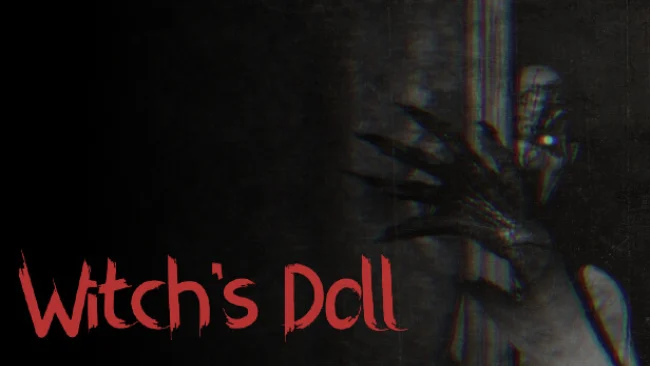
A cheap apartment becomes the beginning of a deeply unsettling night in this first-person psychological horror tale. You play a struggling young writer who accepts an impossibly affordable room from an elderly landlady mourning her lost daughter, despite local stories of disappearances and a curse hanging over the neighborhood. When a violent storm cuts the power, the building’s creaks, distant screams, and oppressive silence turn a simple home into a place that feels actively hostile. The mood stays intimate and claustrophobic, favoring dread and suspicion over action-heavy scares.
Witch’s Doll plays as a narrative-focused walking simulator built around investigating the apartment complex and piecing together why its residents vanish. You move through dark, realistically detailed rooms, inspect the environment for clues, and follow the escalating disturbances that lead toward the landlady’s apartment. Exploration and story revelations carry the experience, while sudden scares punctuate stretches of tense quiet rather than replacing atmosphere with constant shocks. Unreal Engine 5 visuals give the building a convincingly worn, old-fashioned character, and the sound design matters enormously: creaking floors, storm noise, muffled cries, and unseen movement are often more frightening than what the game shows outright.
Its strongest feature is the familiar horror setup filtered through a personal, confined setting; the danger is not in a vast haunted mansion, but in the place where the protagonist is supposed to sleep and write. The writer premise also gives the mystery a grounded entry point, as curiosity pushes you deeper into a situation sensible people would probably flee. Players who enjoy compact, story-led scares in the vein of Layers of Fear, Visage, or other first-person apartment horror experiences should find plenty to like, particularly with headphones in a dark room. Those looking for combat, elaborate puzzles, or broad player freedom may find it slight, but horror fans seeking a focused evening of uneasy exploration and jump-scare tension are the right audience.
Screenshots
Installation
- Select the Download button at the top of this page to open UploadHaven.
- On UploadHaven, wait for any countdown, then select Free Download. Optional: UploadHaven Pro for faster downloads.
- When complete, extract the archive to a Witch's Doll folder using 7-Zip.
- Open the extracted folder and start the game normally.
- For errors, check Setup Guide & Troubleshooting below. Keep your security software enabled.
System Requirements
- OS: Windows 10 (64 bit)
- Processor: Intel Core i5-7500
- Memory: 8 GB RAM
- Graphics: NVIDIA GeForce GTX 1050 (4GB)
- DirectX: Version 11
- Storage: 9 GB available space
- Additional Notes: The game contains settings for lower end devices.
Setup Guide & Troubleshooting
How do I fix missing DLL errors for Witch’s Doll?
After extracting Witch’s Doll, navigate to the _Redist or _CommonRedist folder inside the game directory and install DirectX, Vcredist, and any other dependencies included.
What should I do if the downloaded file is corrupted?
The full archive is 4.48 GB — make sure your download completed fully before extracting. Use 7-Zip to extract the files. If you still see a "file corrupted" error, re-download and try again.
Do I need to run the game as administrator?
Usually, no. Start the game normally from the extracted folder. If you see a permissions or save error, check that the folder is writable and follow the game's documented fix. Only grant administrator access when a trusted game's specific setup requires it.
How do I update my GPU drivers for this game?
The game won't launch — what should I try?
Check that extraction completed and your PC meets the system requirements, including Version 11. Note any error message before choosing a fix. If it identifies a missing runtime, install the required DirectX components or Microsoft Visual C++ Redistributable from Microsoft.
My antivirus is blocking the game — is it safe?
A warning needs to be investigated; the download source alone cannot confirm that a file is safe. Keep your security software enabled and review the detection details. Do not run or restore a flagged file unless you have verified that it is a false positive. If you are unsure, leave it quarantined.