
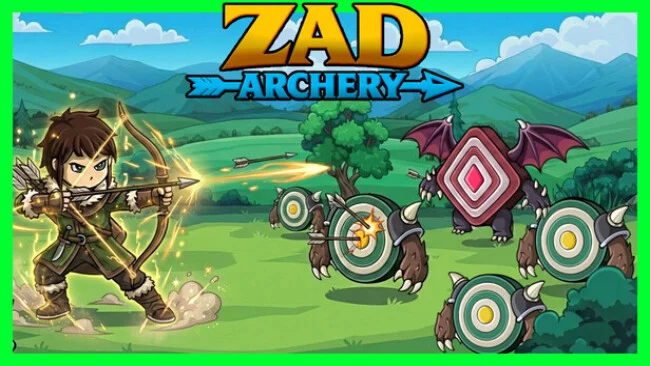
Game Overview
Arrows fly constantly as you carve through wave after wave of living targets, building an archer from a basic damage dealer into a screen-clearing powerhouse. Zad Archery is an incremental RPG with a deliberately hands-on progression focus: numbers rise, but each new system adds another meaningful way to shape a build. Its mood is less about sweeping fantasy storytelling than the steady satisfaction of refining equipment, unlocking abilities, and watching previously stubborn enemies collapse under stronger shots. Anyone who enjoys the long-term pull of idle games but wants more build decisions than simple automatic growth will find its premise immediately appealing.
Combat revolves around clearing target-like monsters, collecting their drops, and reinvesting those rewards into stronger stats, skills, gear, and crafting materials. A broad skill tree provides direct upgrades rather than filler choices, while five archer jobs encourage players to develop different combat specialties as progression opens up. Loot matters beyond raw rarity, since enemy drops can substantially alter character power and help support particular setups. Crafting supplies better bows and armor, while mining becomes a major parallel progression path that boosts archer capabilities and can change how a build performs. Later systems such as shaping, masteries, and guardian perks give dedicated players further layers to optimize instead of leaving advancement at a simple damage-number treadmill.
What separates Zad Archery from lighter incremental clickers is the density of its interconnected upgrade systems. Progress feels like assembling an ARPG character over time: a weapon upgrade, a job choice, a mining improvement, and a skill investment can all contribute to a noticeably stronger build. The target-focused enemy design keeps the presentation clean and functional, placing emphasis on readable progression rather than elaborate spectacle. Fans of games like Melvor Idle or build-heavy action RPGs who enjoy theorycrafting will get the most from it, while newcomers can still enjoy the immediate rhythm of shooting, looting, and unlocking the next permanent boost.
Screenshots
Installation
- Select the Download button at the top of this page to open UploadHaven.
- On UploadHaven, wait for any countdown, then select Free Download. Optional: UploadHaven Pro for faster downloads.
- When complete, extract the archive to a Zad Archery folder using 7-Zip.
- Open the extracted folder and start the game normally.
- For errors, check Setup Guide & Troubleshooting below. Keep your security software enabled.
System Requirements
- OS *: Windows 7
- Memory: 512 MB RAM
- Storage: 400 MB available space
Setup Guide & Troubleshooting
How do I fix missing DLL errors for Zad Archery (v1.1.2 & ALL DLC)?
After extracting Zad Archery (v1.1.2 & ALL DLC), navigate to the _Redist or _CommonRedist folder inside the game directory and install DirectX, Vcredist, and any other dependencies included.
What should I do if the downloaded file is corrupted?
The full archive is 152.14 MB — make sure your download completed fully before extracting. Use 7-Zip to extract the files. If you still see a "file corrupted" error, re-download and try again.
Do I need to run the game as administrator?
Usually, no. Start the game normally from the extracted folder. If you see a permissions or save error, check that the folder is writable and follow the game's documented fix. Only grant administrator access when a trusted game's specific setup requires it.
How do I update my GPU drivers for this game?
The game won't launch — what should I try?
Check that extraction completed and your PC meets the system requirements. Note any error message before choosing a fix. If it identifies a missing runtime, install the required DirectX components or Microsoft Visual C++ Redistributable from Microsoft.
My antivirus is blocking the game — is it safe?
A warning needs to be investigated; the download source alone cannot confirm that a file is safe. Keep your security software enabled and review the detection details. Do not run or restore a flagged file unless you have verified that it is a false positive. If you are unsure, leave it quarantined.