
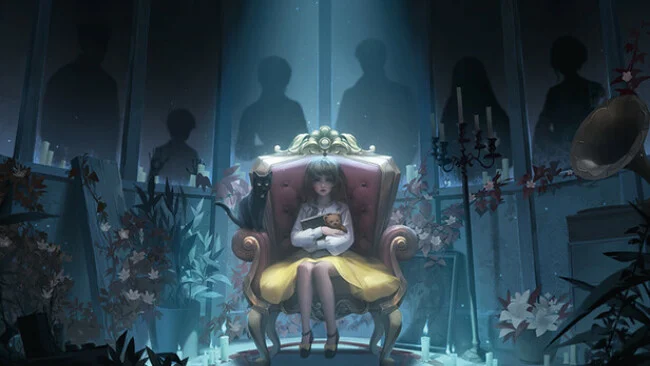
Game Overview
A shuttered shopping complex becomes the stage for a tightly wound supernatural mystery, where familiar retail spaces feel unnervingly wrong under failing lights and empty corridors. Dark Notes trades action for slow-building dread, using a grounded modern setting to make its strange turns land harder. Two connected protagonists investigate events that stretch across different places and points in time, chasing answers that continually reshape what they think they know. The mood is closer to an interactive horror drama than a traditional scare-heavy survival game, with tension coming from implication, isolation, and the fear that a happy memory hides something rotten.
Progress comes through examining detailed scenes, collecting clues, interpreting notes, and solving environmental mechanisms that block the path forward. Puzzles are woven into the narrative rather than feeling like detached mini-games, asking players to notice symbols, patterns, object relationships, and changes between perspectives. Switching between the central characters reveals information unavailable to the other, gradually turning separate investigations into one larger picture. Expect deliberate pacing and increasingly demanding logic challenges, with the story rewarding careful observation instead of reflexes or combat skill.
Its dual-viewpoint structure gives Dark Notes more momentum than many room-escape adventures, since each revelation can recontextualize scenes already explored. The mall, restaurant, and other ordinary locations gain a convincingly oppressive atmosphere through cluttered environmental detail and subdued lighting, recalling the domestic unease of Paper Bride while pursuing a more contemporary setting. Narrative twists play with conflicting versions of reality, so players who enjoy piecing together unreliable stories will find plenty to discuss after key chapters. Fans of Chinese horror puzzlers, visual-novel mysteries, and games such as Rusty Lake should feel at home, while newcomers should be ready for a patient, puzzle-first experience rather than a fast-paced horror ride.
Screenshots
Installation
- Select the Download button at the top of this page to open UploadHaven.
- On UploadHaven, wait for any countdown, then select Free Download. Optional: UploadHaven Pro for faster downloads.
- When complete, extract the archive to a Dark Notes folder using 7-Zip.
- Open the extracted folder and start the game normally.
- For errors, check Setup Guide & Troubleshooting below. Keep your security software enabled.
System Requirements
- OS: Windows 7sp1 or Windows 10
- Processor: Intel Core2 Duo E6550 or AMD equivalent or above
- Memory: 2 MB RAM
- Graphics: NVIDIA Geforce GT440(512M)or AMD Radeon equivalent or above
- DirectX: Version 9.0
- Network: Broadband Internet connection
- Storage: 1 GB available space
Setup Guide & Troubleshooting
How do I fix missing DLL errors for Dark Notes?
After extracting Dark Notes, navigate to the _Redist or _CommonRedist folder inside the game directory and install DirectX, Vcredist, and any other dependencies included.
What should I do if the downloaded file is corrupted?
The full archive is 581.66 MB — make sure your download completed fully before extracting. Use 7-Zip to extract the files. If you still see a "file corrupted" error, re-download and try again.
Do I need to run the game as administrator?
Usually, no. Start the game normally from the extracted folder. If you see a permissions or save error, check that the folder is writable and follow the game's documented fix. Only grant administrator access when a trusted game's specific setup requires it.
How do I update my GPU drivers for this game?
The game won't launch — what should I try?
Check that extraction completed and your PC meets the system requirements, including Version 9.0. Note any error message before choosing a fix. If it identifies a missing runtime, install the required DirectX components or Microsoft Visual C++ Redistributable from Microsoft.
My antivirus is blocking the game — is it safe?
A warning needs to be investigated; the download source alone cannot confirm that a file is safe. Keep your security software enabled and review the detection details. Do not run or restore a flagged file unless you have verified that it is a false positive. If you are unsure, leave it quarantined.